






.png)


.jpeg)


.jpeg)


.jpeg)


.webp)


Mailchimp email 38
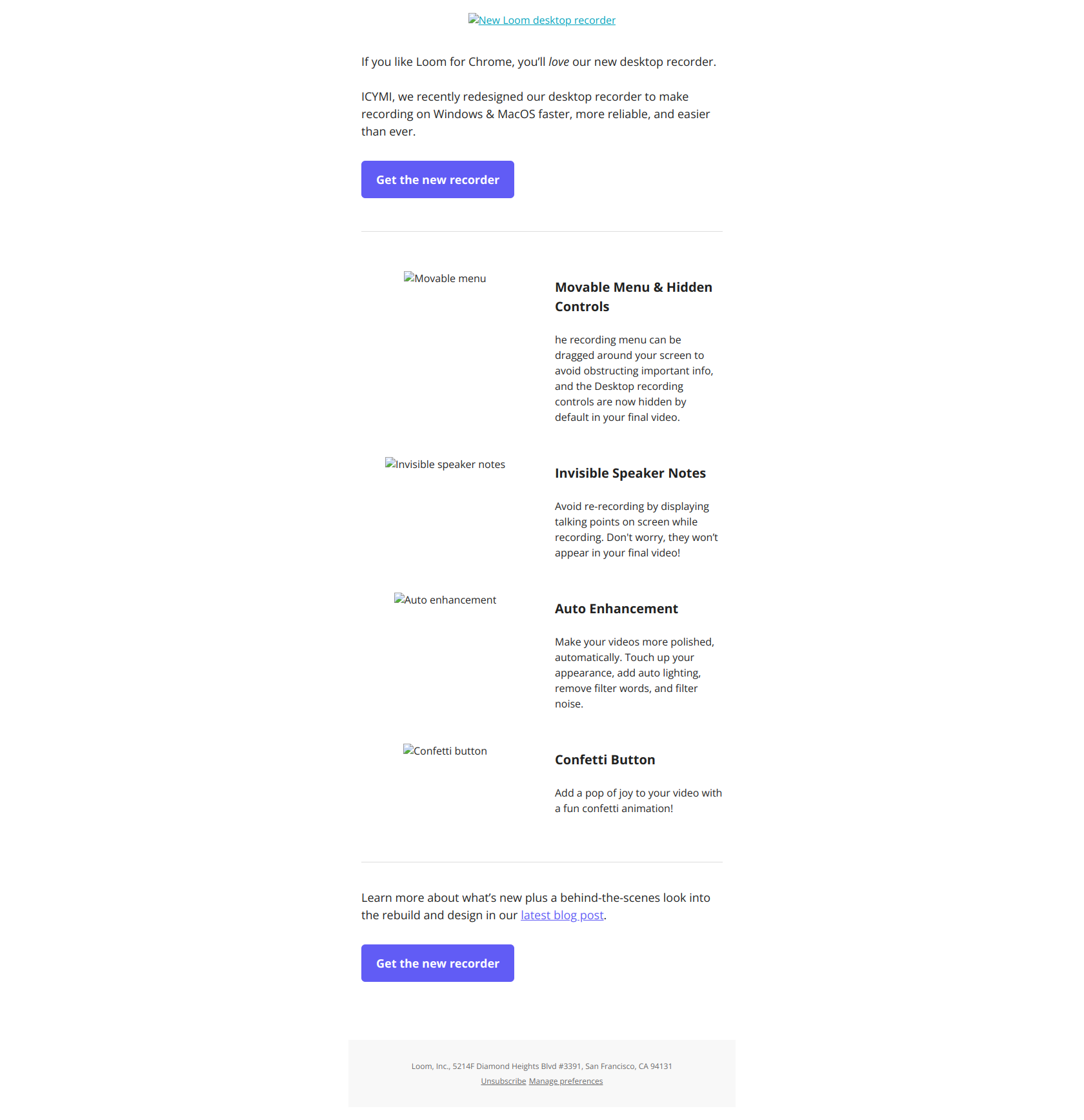
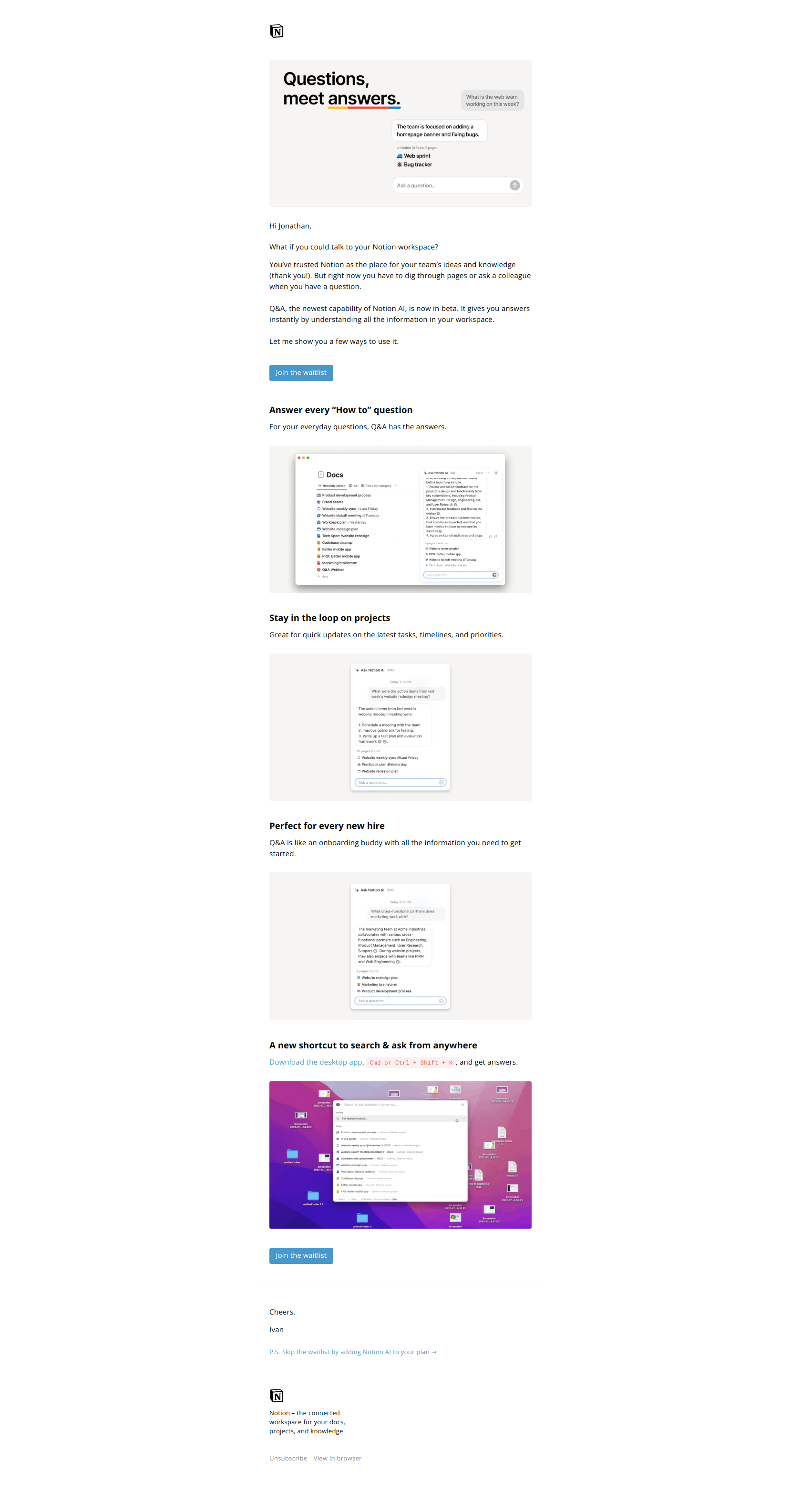
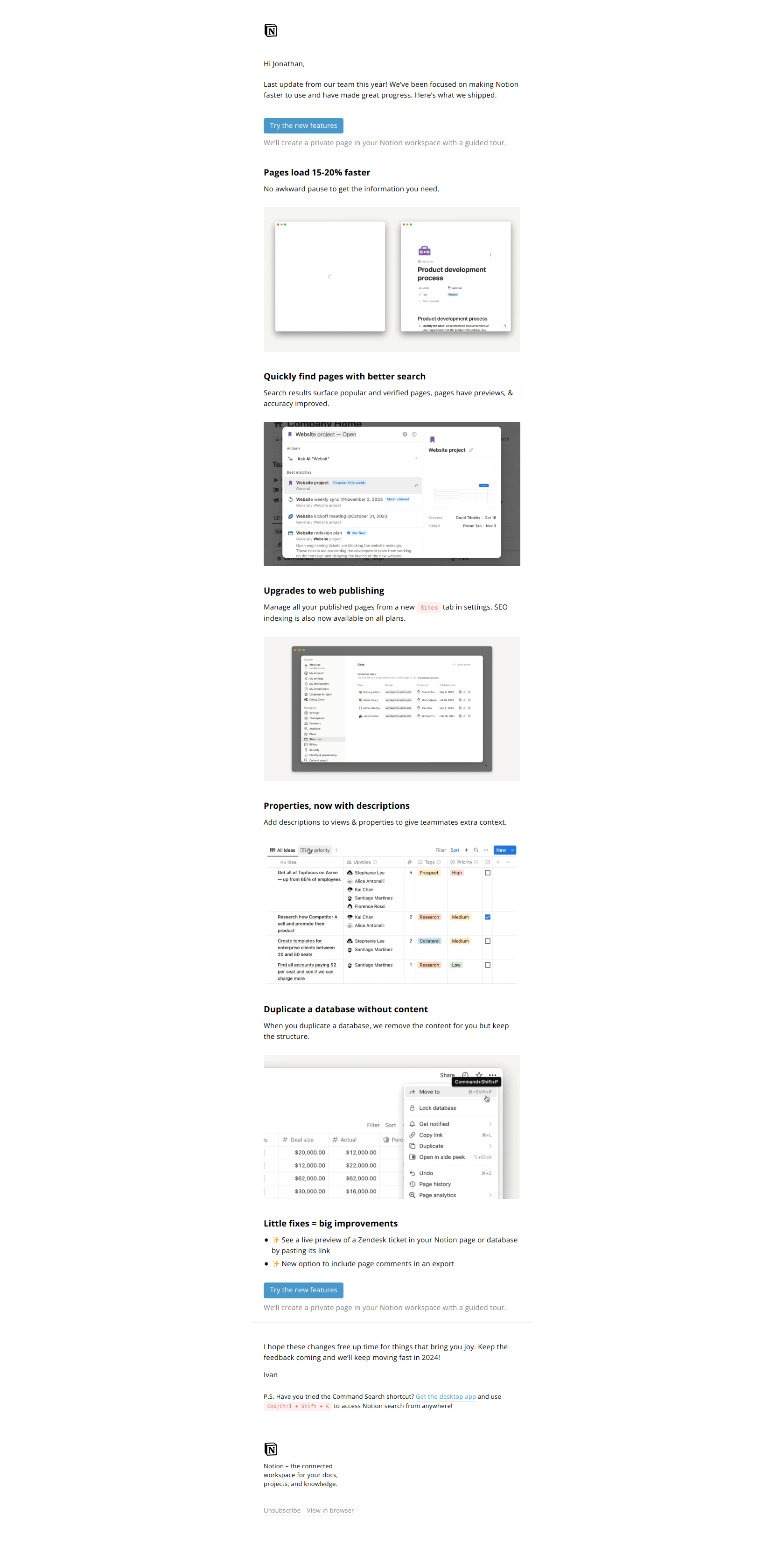
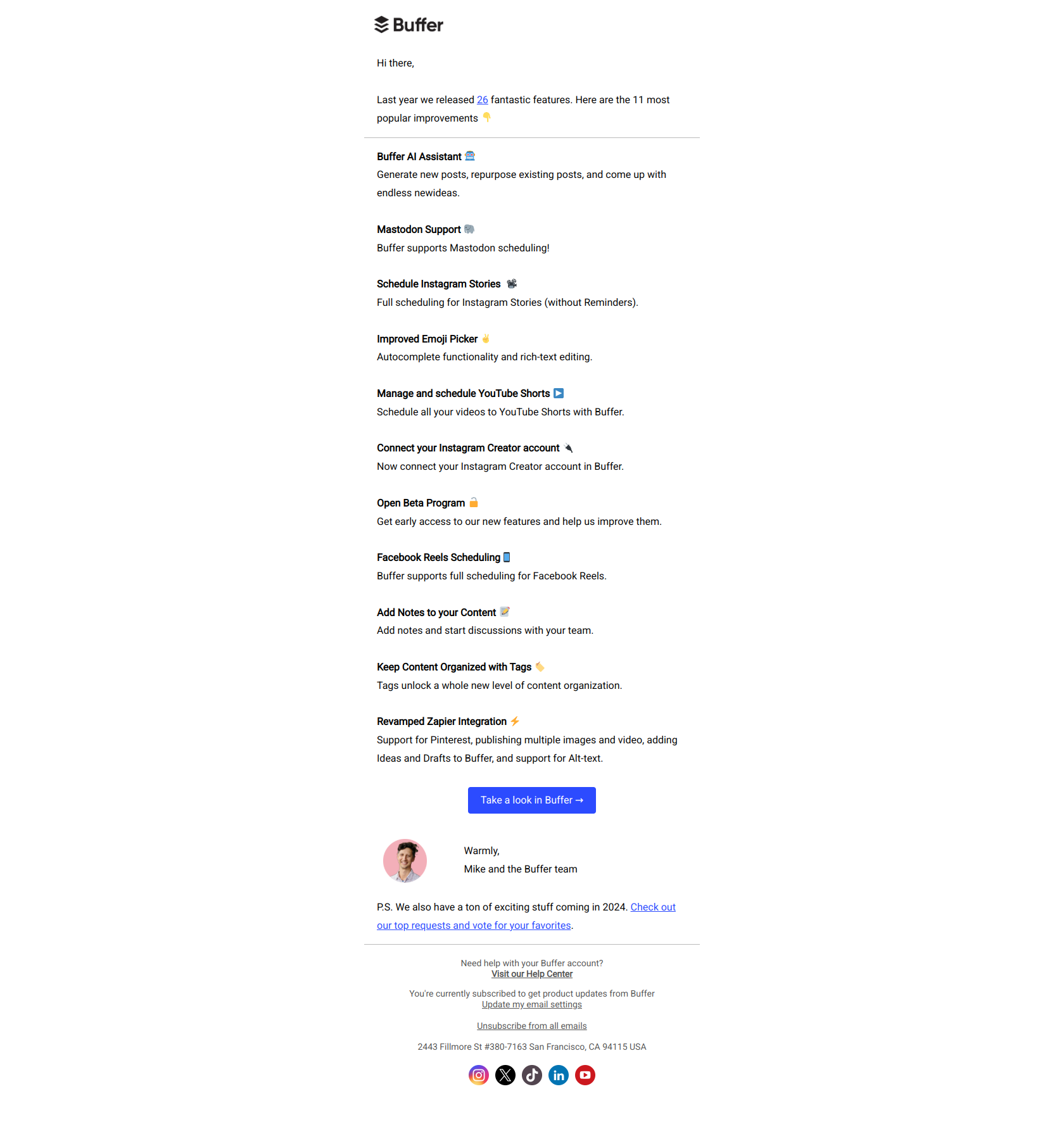
This promotional email from Mailchimp announces several new product updates including a name change for their automation tool to "automation flows," the launch of new integrations with popular advertising platforms, a set of 19 new form templates, and enhanced SMS metrics reporting. The email is visually rich with branded images and icons, organized into distinct sections that detail each update with calls-to-action linking to more information or the product itself.
The tone is friendly and informative, aiming to excite users about new features while encouraging them to explore upgrades and integrations.
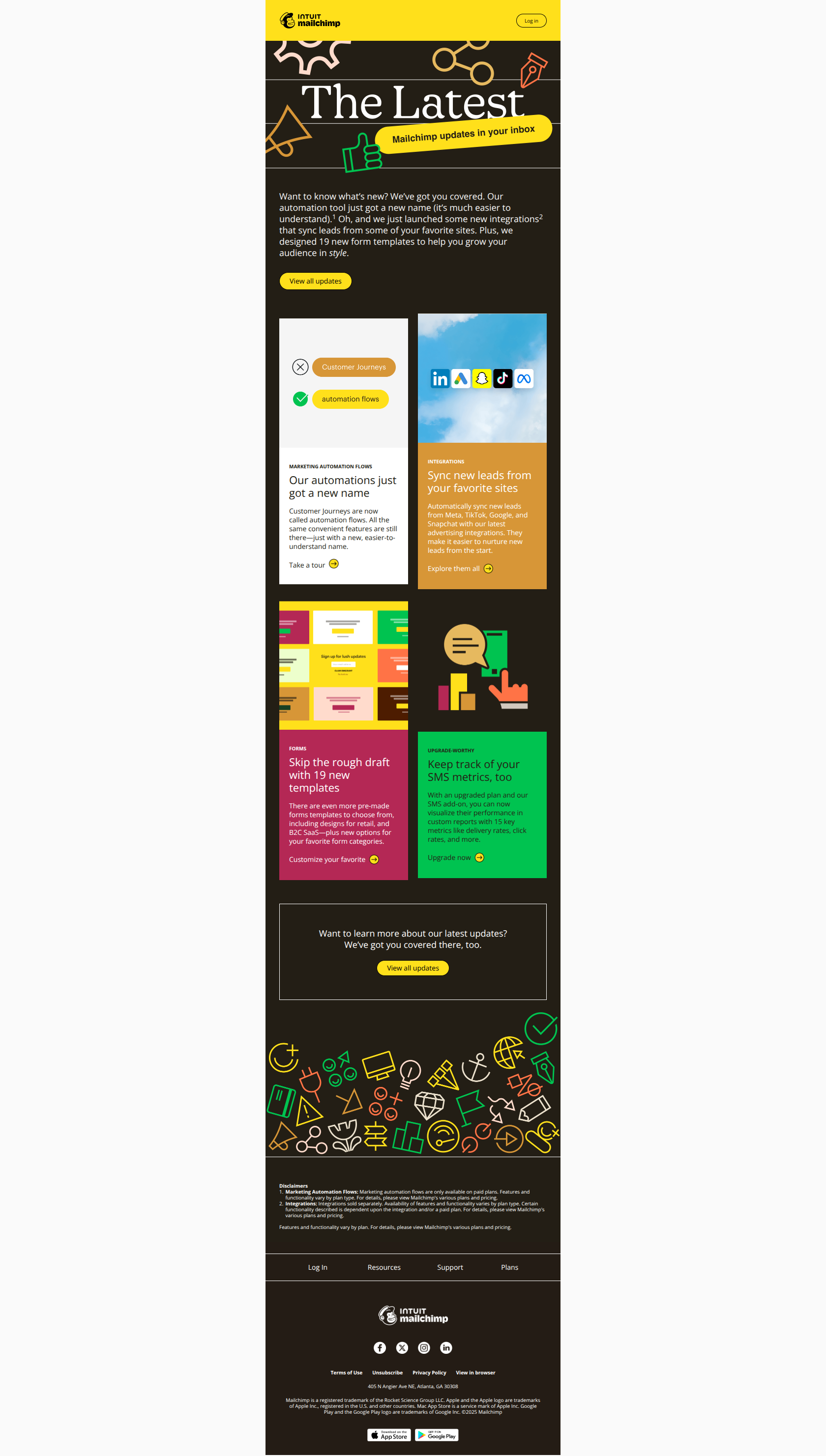
<!DOCTYPE html> <html xmlns="http://www.w3.org/1999/xhtml" xmlns:v="urn:schemas-microsoft-com:vml" xmlns:o="urn:schemas-microsoft-com:office:office" lang="en" xml_lang="en"> <head> <meta charset="utf-8"> <meta http-equiv="X-UA-Compatible" content="IE=edge"> <meta name="format-detection" content="telephone=no, date=no, address=no, email=no, url=no"> <meta name="viewport" content="width=device-width, initial-scale=1, user-scalable=yes"> <meta name="x-apple-disable-message-reformatting"> <title>THE LATEST: Get closer to your contacts with these updates</title> <!-- || Start: 2024 Modular Template Styles - DO NOT REMOVE --> <style> /* || Typography */ @media only screen and (max-width: 480px) { p { font-size: 12px !important; line-height: 14px !important; } h1 { font-size: 32px !important; line-height: 32px !important; } h1.alt { font-size: 24px !important; } h2 { font-size: 22px !important; line-height: 26px !important; } h3 { font-size: 16px !important; line-height: 18px !important; } .large { font-size: 15px !important; line-height: 20px !important; } .eyebrow1 { font-size: 9px !important; line-height: 11px !important; } .eyebrow2 { font-size: 11px !important; line-height: 14px !important; } .font-9 { font-size: 9px !important; line-height: 11px !important; } } @media only screen and (max-width: 375px) { h3 { font-size: 16px !important; line-height: 18px !important; } } </style> <style> /* || Display */ .desktop-hide { display: none !important; mso-hide: all !important; } @media only screen and (max-width: 480px) { .block { display: block !important; } .cell { display: table-cell !important; } .desktop-hide { display: block !important; mso-hide: none !important; } .inline-block { display: inline-block !important; } .mobile-hide { display: none !important; } table.desktop-hide { display: table !important; } } </style> <style> /* || Padding */ @media only screen and (max-width: 480px) { .p-s { padding: 16px !important; } .p-x-0 { padding-right: 0 !important; padding-left: 0 !important; } .p-x-32 { padding-right: 32px !important; padding-left: 32px !important; } .p-x-60 { padding-right: 60px !important; padding-left: 60px !important; } .p-x-m { padding-right: 20px !important; padding-left: 20px !important; } .p-x-xl { padding-right: 40px !important; padding-left: 40px !important; } .p-y-0 { padding-top: 0 !important; padding-bottom: 0 !important; } .p-y-28 { padding-top: 28px !important; padding-bottom: 28px !important; } .p-y-xs { padding-top: 12px !important; padding-bottom: 12px !important; } .p-y-m { padding-top: 20px !important; padding-bottom: 20px !important; } .p-y-xl { padding-top: 40px !important; padding-bottom: 40px !important; } .p-t-0 { padding-top: 0 !important; } .p-t-28 { padding-top: 32px !important; } .p-t-m { padding-top: 20px !important; } .p-t-l { padding-top: 24px !important; } .p-t-xl { padding-top: 40px !important; } .p-r-0 { padding-right: 0 !important; } .p-r-4 { padding-right: 4px !important; } .p-r-16 { padding-right: 16px !important; } .p-r-xxs { padding-right: 8px !important; } .p-r-xs { padding-right: 12px !important; } .p-r-m { padding-right: 20px !important; } .p-b-0 { padding-bottom: 0 !important; } .p-b-4 { padding-bottom: 4px !important; } .p-b-28 { padding-bottom: 28px !important; } .p-b-32 { padding-bottom: 32px !important; } .p-b-xxs { padding-bottom: 8px !important; } .p-b-xs { padding-bottom: 12px !important; } .p-b-s { padding-bottom: 16px !important; } .p-b-m { padding-bottom: 20px !important; } .p-b-l { padding-bottom: 24px !important; } .p-b-xl { padding-bottom: 40px !important; } .p-l-m { padding-left: 20px !important; } .valign-m { vertical-align: middle !important; } } </style> <style> /* || Vertical spacing */ [class*='vspace'] { font-size: 0; } @media only screen and (max-width: 480px) { .vspace-xxs { height: 8px !important; line-height: 8px !important; } .vspace-xs { height: 12px !important; line-height: 12px !important; } .vspace-s { height: 16px !important; line-height: 16px !important; } .vspace-m { height: 20px !important; line-height: 20px !important; } .vspace-l { height: 24px !important; line-height: 24px !important; } .vspace-xl { height: 40px !important; line-height: 40px !important; } } </style> <style> /* || Sizing */ .fw-d { width: 100% !important; } @media only screen and (max-width: 480px) { .fw { width: 100% !important; } .fw-d { width: initial !important; } .height-100 { height: 100% !important; } .hw { width: 50% !important; } .large-photo { width: 180px !important; } .retinaImage { max-width: 100% !important; } .square { width: 50vw !important; height: 50vw !important; max-height: 50vw !important; } .width-20px { width: 20px !important; } } </style> <style> /* || Header */ @media only screen and (max-width: 480px) { .header-logo { width: 102px !important; } .logo-cell.with-qb, .header-logo.with-qb { width: 204px !important; } .logo-nav-menu [class*='-cell'] { padding: 0 !important; } .logo-nav-menu .logo-cell, .logo-nav-menu .nav-cell { padding: 0 !important; } } </style> <style> /* || CTA */ @media only screen and (max-width: 480px) { .primary-cta { padding: 8px 20px !important; } .primary-cta, .primary-cta a, .primary-cta a span { font-size: 12px !important; line-height: 12px !important; } .secondary-cta { padding: 8px 16px !important; } .secondary-cta, .secondary-cta a, .secondary-cta a span { font-size: 12px !important; line-height: 12px !important; } .secondary-style-3 { padding: 8px 0 !important; } .secondary-style-3 a { vertical-align: initial !important; } .secondary-style-3 a img { vertical-align: text-top !important; } .tertiary-cta, .tertiary-cta a, .tertiary-cta a span { font-size: 9px !important; line-height: 9px !important; } .cta-chevron { height: 12px !important; } .cta-arrow { height: 14px !important; } } </style> <style> /* || Footer */ @media only screen and (max-width: 480px) { .footer-nav-table th { display: block !important; padding: 12px 20px !important; border-bottom: 1px solid #000; } .footer-nav-menu-full-bleed-dark .footer-nav-table th, .footer-nav-menu-partial-bleed-dark .footer-nav-table th { border-color: #fff !important; } .footer-nav-table th.last-item { border-bottom: none; } .footer-nav-table th a, .footer-nav-table th a span { font-size: 12px !important; } .footer-logo { width: 122px !important; } .footer .logo-cell, .footer .socials-cell { display: table-cell !important; } .footer .logo-cell { width: 122px !important; padding: 0 !important; text-align: left !important; } .footer .socials-cell { padding: 0 !important; text-align: right !important; vertical-align: middle; } .footer .socials-cell table { float: right !important; } .footer .socials-cell table::after { clear: both !important; } .footer .text-links { width: 100% !important; } .footer .text-links td { padding: 0 35px 0 0 !important; text-align: left !important; } .footer .text-links td + td + td + td { padding: 0 !important; } } @media only screen and (max-width: 333px) { .footer .logo-cell { padding-bottom: 20px !important; } } </style> <style> /* || Utility */ .center { width: 65% !important; margin: 0 auto !important; text-align: center !important; } .highlight { padding: 0 6px; background-color: #ffe01b; } @media only screen and (max-width: 480px) { .center { width: 90% !important; } .mobile-no-borders { border: none !important; } .icon-22 { width: 22px !important; } .icon-26 { width: 26px !important; } .icon-36 { width: 36px !important; } .icon-40 { width: 40px !important; } .icon-s { height: 16px !important; } .icon-m { height: 20px !important; } .icon-l { width: 28px !important; } .icon-xl { width: 56px !important; } .icon-xxl { width: 64px !important; } .text-center { text-align: center !important; } .text-left { text-align: left !important; } } </style> <style> /* || Module-specific */ @media only screen and (max-width: 350px) { .three-col .column { max-width: 100% !important; } .three-col .column > div { padding-right: 0 !important; padding-left: 0 !important; } } @media only screen and (min-width: 351px) and (max-width: 460px) { .three-col .column { max-width: 49% !important; } .three-col .column.col-1 > div, .three-col .column.col-3 > div, .three-col .column.col-5 > div { padding-right: 12px !important; padding-left: 0 !important; text-align: right !important; } .three-col .column.col-2 > div, .three-col .column.col-4 > div, .three-col .column.col-6 > div { padding-right: 0 !important; padding-left: 12px !important; text-align: left !important; } .three-col .column.col-5 > div, .three-col .column.col-6 > div { padding-bottom: 0 !important; } .three-col.five .column.col-5 > div { padding-right: 0 !important; text-align: center !important; } } @media only screen and (max-width: 480px) { .hero-two-column-graphic-left-aligned .left { padding-right: 0 !important; } .hero-two-column-graphic-left-aligned .right { padding-left: 0 !important; } .two-col-image-list .list-image { width: 125px !important; } .two-col-left-image-classic-cta .list-image, .two-col-left-image-arrow-cta .list-image { width: 180px !important; } .int-icon { width: 38px !important; } } @media only screen and (min-width: 461px) { .three-col .column { max-width: 33.3% !important; } .three-col.four .column, .three-col.five .column.col-4, .three-col.five .column.col-5 { max-width: 50% !important; } } </style> <style> /* || Gmail-specific template styles (webmail/iOS/Android) */ div > u + .body .column > div, u + .body .column > div { padding-right: 0 !important; padding-left: 0 !important; } u + .body .three-col.four .column.col-1 .col-content, u + .body .three-col.four .column.col-3 .col-content { padding-right: 24px !important; } u + .body .three-col.four .column.col-2 .col-content, u + .body .three-col.four .column.col-4 .col-content, u + .body .three-col.five .column.col-5 .col-content { padding-left: 24px !important; } @media only screen and (max-width: 480px) { div > u + .body .square, u + .body .square { width: 50% !important; height: 50vw !important; } div > u + .body .large-photo, u + .body .large-photo { width: 180px !important; } div > u + .body .m-x-auto, u + .body .m-x-auto { margin-right: auto !important; margin-left: auto !important; } div > u + .body .two-col-left-image-classic-cta .list-image, u + .body .two-col-left-image-classic-cta .list-image, div > u + .body .two-col-left-image-arrow-cta .list-image, u + .body .two-col-left-image-arrow-cta .list-image { width: 45vw !important; } div > u + .body .three-col .column.col-1 .col-content, div > u + .body .three-col .column.col-3 .col-content, div > u + .body .three-col .column.col-5 .col-content, u + .body .three-col .column.col-1 .col-content, u + .body .three-col .column.col-3 .col-content, u + .body .three-col .column.col-5 .col-content { padding-right: 12px !important; padding-left: 0 !important; text-align: right !important; } div > u + .body .three-col .column.col-2 .col-content, div > u + .body .three-col .column.col-4 .col-content, div > u + .body .three-col .column.col-6 .col-content, u + .body .three-col .column.col-2 .col-content, u + .body .three-col .column.col-4 .col-content, u + .body .three-col .column.col-6 .col-content { padding-right: 0 !important; padding-left: 12px !important; text-align: left !important; } div > u + .body .three-col .column.col-5 .col-content, div > u + .body .three-col .column.col-6 .col-content, u + .body .three-col .column.col-5 .col-content, u + .body .three-col .column.col-6 .col-content { padding-bottom: 0 !important; } div > u + .body .three-col.four .column.col-2 .col-content, div > u + .body .three-col.four .column.col-4 .col-content, u + body .three-col.four .column.col-2 .col-content, u + body .three-col.four .column.col-4 .col-content { padding-right: 0 !important; } div > u + .body .three-col.five .column.col-5 .col-content, u + .body .three-col.five .column.col-5 .col-content { padding-right: 0 !important; padding-left: 0 !important; text-align: center !important; } } @media only screen and (min-width: 351px) and (max-width: 460px) { div > u + .body .three-col .column img, u + .body .three-col .column img, .three-col .column img { width: 150px !important; } div > u + .body .three-col .column, u + .body .three-col .column { max-width: 49% !important; } } </style> <style> /* || Outlook app-specific template styles (iOS/Android) */ @media only screen and (max-width: 480px) { .column\0 { width: 49% !important; } .inline-img-cell\0 { width: 180px !important; } .large-photo\0 { width: 180px !important; } .square\0 { width: 50% !important; height: inherit !important; } .three-col .column.col-1 .col-content\0, .three-col .column.col-3 .col-content\0, .three-col .column.col-5 .col-content\0 { padding-right: 12px !important; padding-left: 0 !important; text-align: right !important; } .three-col .column.col-2 .col-content\0, .three-col .column.col-4 .col-content\0, .three-col .column.col-6 .col-content\0 { padding-right: 0 !important; padding-left: 12px !important; text-align: left !important; } .three-col .column.col-5 .col-content\0, .three-col .column.col-6 .col-content\0 { padding-bottom: 0 !important; } .three-col.four .column.col-4 .col-content\0, .three-col.four .column.col-2 .col-content\0 { padding-right: 0 !important; } .three-col.five .column.col-5 > .col-content\0 { padding-right: 0 !important; padding-left: 0 !important; text-align: center !important; } } </style> <style> /* || General client-specific overrides */ #outlook a { padding: 0; } .ReadMsgBody, .ExternalClass { width: 100%; } a[href^='tel'], a[href^='sms'] { color: inherit; cursor: default; text-decoration: none; } p, a, li, td, body, table, blockquote { -ms-text-size-adjust: 100%; -webkit-text-size-adjust: 100%; } .ExternalClass, .ExternalClass p, .ExternalClass td, .ExternalClass div, .ExternalClass span, .ExternalClass font { line-height: 100%; } /* Link styling overrides */ /* || Apple */ a[x-apple-data-detectors] { color: inherit !important; font-family: inherit !important; font-size: inherit !important; font-weight: inherit !important; line-height: inherit !important; text-decoration: none !important; } /* || Samsung */ #MessageViewBody a { color: inherit !important; font-family: inherit !important; font-size: inherit !important; font-weight: inherit !important; line-height: inherit !important; text-decoration: none !important; } /* || Gmail */ u + .body a { color: inherit !important; font-family: inherit !important; font-size: inherit !important; font-weight: inherit !important; line-height: inherit !important; text-decoration: none !important; } /* Bullet list styling overrides (Gmail-specific) */ u + .body .glist { margin-left: 0 !important; } @media only screen and (max-width: 640px) { u + .body .glist { margin-left: 25px !important; } } </style> <!-- || DO NOT REMOVE --> <!-- [if mso]> <style type="text/css"> div, td { padding: 0; } div { margin: 0 !important; } body { font-family: Helvetica, Arial, sans-serif !important; } table td { font-family: Helvetica, Arial, sans-serif !important; } table td a { font-family: Helvetica, Arial, sans-serif !important; } p { font-family: Helvetica, Arial, sans-serif !important; } .outlook-remove-padding { padding: 0 !important; } </style> <noscript> <xml> <o:OfficeDocumentSettings> <o:PixelsPerInch>96</o:PixelsPerInch> </o:OfficeDocumentSettings> </xml> </noscript> <![endif]--> <!-- || END DO NOT REMOVE --> </head> <body class="body" style="width: 100%; height: 100%; padding: 0; margin: 0; background-color: #fafafa; -ms-text-size-adjust: 100%; -webkit-text-size-adjust: 100%; word-spacing: normal; word-wrap: normal;"><div style="display:none;font-size:1px;color:#333333;line-height:1px;max-height:0px;max-width:0px;opacity:0;overflow:hidden;"> We’ve got some news, more integrations, enhanced reporting, and more for you to explore </div> <div role="article" aria-roledescription="email" lang="en" style="background-color: #fafafa; -webkit-text-size-adjust: 100%; -ms-text-size-adjust: 100%;"> <table role="presentation" style="width: 100%; border: none; background-color: #fafafa; border-collapse: collapse; border-spacing: 0; mso-table-lspace: 0; mso-table-rspace: 0;" width="100%"> <tbody><tr> <td align="center" style="padding: 0;"> <!-- BEGIN TEMPLATE // --> <!-- || NOTE: Change the background color to match the overall template background color using the "background-color" CSS value in the <table> element below, and in the <div> element that follows --> <!--[if mso]> <table role="presentation" style="width: 100%; border: none; border-collapse: collapse; border-spacing: 0; mso-table-lspace: 0; mso-table-rspace: 0;" width="600"><tr><td style="padding: 0;"><![endif]--> <div class="outer" style="width: 100%; min-width: 100%; max-width: 600px; margin: 0 auto;"> <!-- Start: PREHEADER -------------------------------------------> <table class="fw" role="presentation" width="600" style="border: none; border-collapse: collapse; border-spacing: 0; mso-table-lspace: 0; mso-table-rspace: 0;" align="center"> <tbody><tr> <td valign="top" class="" style="padding: 0px;"> <span style="display: none; width: 0; height: 0; font-size: 0; visibility: hidden;"> </span> </td> </tr> </tbody></table> <!-- End: PREHEADER ---------------------------------------------> <!-- Start: HEADER AREA - ↓↓↓ Place header module here ↓↓↓ ------> <!-- Start: logo-nav-pill-cta -----------------------------------> <!-- NOTE: Update the background color of the module by changing the "background-color" CSS rule in the <table> element's "style" attribute below; you may also need to change the color of the Spacer rows to match --> <table class="header logo-nav-pill-cta fw" role="presentation" width="600" style="border: none; background-color: #ffe01b; border-collapse: collapse; border-spacing: 0; mso-table-lspace: 0; mso-table-rspace: 0;" align="center"> <!-- Start: Spacer row (td) ----------------------------> <!-- NOTE: Update the background color of this row by removing the "background" CSS rule in the <td> element's "style" attribute below, and then changing the hex value of the "background-color" CSS rule --> <tbody><tr> <td class="p-t-m" style="padding: 24px 0 0; background-color: #ffe01b; font-size: 0; line-height: 1; mso-line-height-rule: exactly;" colspan="2"> </td> </tr> <!-- End: Spacer row (td) ------------------------------> </tbody><tbody> <tr> <!-- Start: Linked logo (a) ---------------------------> <!-- NOTE: Update the link by replacing the existing URL with the desired URL in the <a> elements "href" attribute below --> <td class="logo-cell p-x-m" style="width: 125px; padding: 0 28px; text-align: left; vertical-align: middle;" valign="middle"> <a href="https://app.e.mailchimp.com/e/er?utm_medium=email&utm_source=Eloqua&utm_campaign=1195&s=3533916&lid=777&elqTrackId=7e3dda9d50ff48ee96aaee86238d3c94&elq=0652f1ecbeec46478d094ff05313f756&elqaid=6225&elqat=1&elqak=8AF5B976225285F99362957375A2D92044FB4EB6F8A69D29EB5C9111114FC875CA5E" title="Visit us at mailchimp.com" rel="noopener" target="_blank"> <img class="header-logo" src="https://images.e.mailchimp.com/EloquaImages/clients/IntuitMailchimp/%7Bc3c1f887-4799-42fc-841c-7f6507195ad9%7D_446f30b5-0a3b-cdc5-8e93-b51ef7943a2a.png" alt="Intuit Mailchimp" style="display: block; width: 125px; height: auto; border: none; margin: 0; -ms-interpolation-mode: bicubic; outline: none;" width="125"> </a> </td> <!-- End: Linked logo (a) ------------------------------> <!-- Start: Tertiary CTA (a) ---------------------------> <!-- NOTE: Update the CTA link by replacing the existing URL with the desired URL in the <a> elements "href" attribute below --> <td class="link-cell p-x-m" style="padding: 0 28px; text-align: right; vertical-align: middle;" valign="middle"> <table role="presentation" style="border-collapse: separate; border-spacing: 0; float: right; mso-line-height-rule: exactly; mso-table-lspace: 0; mso-table-rspace: 0;" align="right"> <tbody> <tr> <td class="tertiary-cta" style=" padding: 8px 16px; border: 1px solid #000; border-radius: 42px; background-color: transparent; font-size: 10px; line-height: 10px; mso-line-height-rule: exactly;" align="center"> <a href="https://app.e.mailchimp.com/e/er?utm_medium=email&utm_source=Eloqua&utm_campaign=1195&s=3533916&lid=764&elqTrackId=208da9717cf54a40a5b5a2973dd760dc&elq=0652f1ecbeec46478d094ff05313f756&elqaid=6225&elqat=1&elqak=8AF537138D63838C67EE10CF2CDE97FE2F344EB6F8A69D29EB5C9111114FC875CA5E" rel="noopener" target="_blank" style="display: block; padding: 0; margin: 0; color: #000; font-size: 10px; line-height: 10px; mso-line-height-rule: exactly; text-decoration: none;"><span style="color: #000; font-family: Helvetica, Arial, sans-serif; font-size: 10px; font-weight: 400; mso-line-height-rule: exactly; text-decoration: none;">Log in</span></a> </td> </tr> </tbody> </table> </td> <!-- End: Tertiary CTA (a) -----------------------------> </tr> <!-- Start: Spacer row (td) ----------------------------> <!-- NOTE: Update the background color of this row by removing the "background" CSS rule in the <td> element's "style" attribute below, and then changing the hex value of the "background-color" CSS rule --> <tr> <td class="p-t-m" style="padding: 24px 0 0; background-color: #ffe01b; font-size: 0; line-height: 1; mso-line-height-rule: exactly;" colspan="2"> </td> </tr> <!-- End: Spacer row (td) ------------------------------> </tbody> </table> <!-- End: logo-nav-pill-cta -------------------------------------> <!-- End: HEADER AREA - ↑↑↑ Place header module here ↑↑↑ --------> <!-- Start: CONTENT AREA - ↓↓↓ Place content modules here ↓↓↓ ---> <!-- Start: hero-full-bleed-image-left-aligned-cta --------------> <!-- NOTE: Update the background color of the module by changing the "background-color" CSS rule in the <table> element's "style" attribute below; you may also need to change the color of the Spacer rows to match --> <table class="module hero hero-full-bleed-image-left-aligned-cta fw" role="presentation" width="600" style="border: none; background-color: #231e15; border-collapse: collapse; border-spacing: 0; mso-table-lspace: 0; mso-table-rspace: 0;" align="center"> <!-- Start: Linked image (a, img) ------------------------> <!-- NOTE: Update the link for the image by adding the URL to the "href" attribute in the <a> element below --> <!-- NOTE: Update the image by replacing the existing URL with the desired image's URL in the <img> element's "src" attribute below --> <tbody><tr> <td class="p-b-l" style="padding: 0 0 32px;"> <a href="https://app.e.mailchimp.com/e/er?utm_medium=email&utm_source=Eloqua&utm_campaign=1195&s=3533916&lid=1164&elqTrackId=7e973e27e23e43a0828c296a394dc27d&elq=0652f1ecbeec46478d094ff05313f756&elqaid=6225&elqat=1&elqak=8AF583EAB131736E48EA5AB4F9F9C40F05BA4EB6F8A69D29EB5C9111114FC875CA5E" target="_blank"> <img class="fw" src="https://images.e.mailchimp.com/EloquaImages/clients/IntuitMailchimp/%7B9c0e8042-b78e-4e56-aa5b-37caa9ee6bf2%7D_hero_test.png" alt="The Latest Mailchimp updates in your inbox." width="600" style="display: block; width: 100%; max-width: 600px; height: auto; -ms-interpolation-mode: bicubic; outline: none;"> </a> </td> </tr> <!-- End: Linked image (a, img) --------------------------> <!-- Start: Body text (p.large) --------------------------> <!-- NOTE: Update the text color by changing the "color" CSS rule in the <p> element's "style" attribute below --> <tr> <td class="p-x-m p-b-m" style="padding: 0 28px 28px; font-size: 18px; line-height: 23px; mso-line-height-rule: exactly;"> <p class="large" style="padding: 0; margin: 0; color: #f5f5f5; font-family: Helvetica, Arial, sans-serif; font-size: 18px; font-weight: 400; line-height: 23px; mso-line-height-rule: exactly;">Want to know what’s new? We’ve got you covered. Our automation tool just got a new name (it’s much easier to understand).<span style="line-height: 0px; font-size: 16px;"><sup>1</sup></span> Oh, and we just launched some new integrations<span style="line-height: 0px; font-size: 16px;"><sup>2</sup></span> that sync leads from some of your favorite sites. Plus, we designed 19 new form templates to help you grow your audience in <em>style</em>.</p></td> </tr> <!-- End: Body text (p.large) ----------------------------> <!-- Start: Primary CTA (a) ------------------------------> <!-- NOTE: Update the CTA link by replacing the existing URL with the desired URL in the <a> element's "href" attribute below --> <tr> <td class="p-x-m" style="padding: 0 28px;"> <table role="presentation" style="border-collapse: separate; border-spacing: 0; mso-table-lspace: 0; mso-table-rspace: 0;"> <tbody><tr> <td class="primary-cta" style="padding: 10px 20px; border: 1px solid #000; border-radius: 42px; background-color: #ffe01b; font-size: 14px; line-height: 14px; mso-line-height-rule: exactly; mso-padding-alt: 10px 20px;" align="center"> <a href="https://app.e.mailchimp.com/e/er?utm_medium=email&utm_source=Eloqua&utm_campaign=1195&s=3533916&lid=1164&elqTrackId=0ffdade95e1d4740a8f9225cfb237926&elq=0652f1ecbeec46478d094ff05313f756&elqaid=6225&elqat=1&elqak=8AF50A7D3F47DB762C67881065016C2F4A154EB6F8A69D29EB5C9111114FC875CA5E" rel="noopener" target="_blank" style="display: block; padding: 0; margin: 0; line-height: 14px; mso-line-height-rule: exactly; text-decoration: none;"><span style="color: #000; font-family: Helvetica, Arial, sans-serif; font-size: 14px; font-weight: 400; text-decoration: none;">View all updates</span></a> </td> </tr> </tbody></table> </td> </tr> <!-- End: Primary CTA, Style 1 (a) ---------------------> <!-- Start: Spacer row (td) ----------------------------> <!-- NOTE: Update the background color of this row by removing the "background" CSS rule in the <td> element's "style" attribute below, and then changing the hex value of the "background-color" CSS rule --> <tr> <td class="p-t-m" style="padding: 24px 0 0; background-color: #231e15; font-size: 0; line-height: 1; mso-line-height-rule: exactly;"> </td> </tr> <!-- End: Spacer row (td) ------------------------------> </tbody></table> <!-- End: hero-full-bleed-image-left-aligned-cta ----------------> <!-- Start: body-two-column-grid-editorial-with-copy ------------> <!-- NOTE: Update the background color of the module by changing the "background-color" CSS rule in the <table> element's "style" attribute below; you may also need to change the color of the Spacer rows to match --> <table class="module two-col body-two-column-grid-editorial-with-copy fw" role="presentation" width="600" style="min-width: 375px !important; border: none;background-color: #231e15; border-collapse: collapse; border-spacing: 0; mso-table-lspace: 0; mso-table-rspace: 0;" align="center"> <!-- Start: Spacer row (td) ----------------------------> <!-- NOTE: Update the background color of this row by removing the "background" CSS rule in the <td> element's "style" attribute below, and then changing the hex value of the "background-color" CSS rule --> <tbody><tr> <td class="p-t-m" style="padding: 24px 0 0; background-color: #231e15; font-size: 0; line-height: 1; mso-line-height-rule: exactly;"> </td> </tr> <!-- End: Spacer row (td) ------------------------------> <tr> <td class="p-x-0" style="padding: 0 28px;"> <!-- Start: Two-column w/ spacer block (stacking) --> <table class="fw" role="presentation" width="544" style="border: none; border-collapse: collapse; border-spacing: 0; mso-table-lspace: 0; mso-table-rspace: 0; table-layout: fixed;"> <!-- Start: First row of content (stacking) --> <tbody><tr> <!-- Start: Left column ------------> <th class="block" style="padding: 0;"> <table class="fw" role="presentation" dir="rtl" width="262" style="border: none; border-collapse: collapse; border-spacing: 0; mso-table-lspace: 0; mso-table-rspace: 0;"> <tbody><tr> <!-- Start: Linked image (a, img) --> <!-- NOTE: Update the link for the image by adding the URL to the "href" attribute in the <a> element below --> <!-- NOTE: Update the image by replacing the existing URL with the desired image's URL in the <img> element's "src" attribute below --> <!-- NOTE: Update the background color of the block by changing the "background-color" CSS rule in the <th> element's "style" attribute below --> <th class="cell square" dir="ltr" style="display: block; padding: 0; background-color: #f0f0eb;" width="262"> <a href="https://app.e.mailchimp.com/e/er?utm_medium=email&utm_source=Eloqua&utm_campaign=1195&s=3533916&lid=2423&elqTrackId=0dcdc1e4eaa64f229fa6aabed192ecb8&elq=0652f1ecbeec46478d094ff05313f756&elqaid=6225&elqat=1&elqak=8AF5DC996DB78AC874068D4C9F7AB4431A484EB6F8A69D29EB5C9111114FC875CA5E" target="_blank"> <img class="retinaImage height-100" src="https://images.e.mailchimp.com/EloquaImages/clients/IntuitMailchimp/%7B7d5949d3-7f19-46e0-a0bf-af0ecb7ee92d%7D_mod1.png" alt="An image showing selection options, with 'Customer Journeys' marked with an 'X', and 'automation flows' selected with a green checkmark indicating the feature’s name change." style="display: block; padding: 0; margin: 0; -ms-interpolation-mode: bicubic; outline: none;" width="262"> </a> </th> <!-- End: Linked image (a, img) --> <!--[if mso]></tr><tr><![endif]--> <!-- Start: Text content --> <!-- NOTE: Update the background color of the block by changing the "background-color" CSS rule in the <td> element's "style" attribute below --> <th class="cell square valign-m" dir="ltr" style="display: block; padding: 0; background-color: #fff; text-align: left;" width="262" valign="top"> <table class="fw" role="presentation" style="border: none; border-collapse: collapse; border-spacing: 0; mso-table-lspace: 0; mso-table-rspace: 0;" width="262"> <!-- Start: Eyebrow 1 text (span) --> <!-- NOTE: Update the text color by changing the "color" CSS rule in the <span> element's "style" attribute below --> <tbody><tr> <td class="p-t-0 p-b-4" style="padding: 32px 20px 8px; font-size: 10px; line-height: 12px; mso-line-height-rule: exactly;"> <span class="eyebrow1" style="display: block; color: #231e15; font-family: Helvetica, Arial, sans-serif; font-size: 10px; font-weight: 700; line-height: 12px; mso-line-height-rule: exactly; text-transform: uppercase;">MARKETING AUTOMATION FLOWS</span> </td> </tr> <!-- End: Eyebrow 1 text (span) --> <!-- Start: Heading (h3) --> <!-- NOTE: Update the text color by changing the "color" CSS rule in the <h3> element's "style" attribute below --> <tr> <td style="padding: 0 20px 16px; font-size: 22px; line-height: 26px; mso-line-height-rule: exactly;"> <h3 style="padding: 0; margin: 0; color: #231e15; font-family: Helvetica, Arial, sans-serif; font-size: 22px; font-weight: 400; line-height: 26px;">Our automations just got a new name</h3> </td> </tr> <!-- End: Heading (h3) --> <!-- Start: Body text (p); hidden on mobile --> <!-- NOTE: Update the text color by changing the "color" CSS rule in the <p> element's "style" attribute below --> <tr class="mobile-hide"> <td style="padding: 0 20px 16px; font-size: 14px; line-height: 18px; mso-line-height-rule: exactly;"> <p style="padding: 0; margin: 0; color: #231e15; font-family: Helvetica, Arial, sans-serif; font-size: 14px; font-weight: 400; line-height: 18px; mso-line-height-rule: exactly;">Customer Journeys are now called automation flows. All the same convenient features are still there—just with a new, easier-to-understand name.</p> </td> </tr> <!-- End: Body text (p) --> <!-- Start: Secondary CTA, Style 3 (a) --> <!-- NOTE: Update the CTA link by replacing the existing URL with the desired URL in the <a> element's "href" attribute below --> <!-- NOTE: Update the text color by changing the "color" CSS rule in the <a> element's "style" attribute below --> <tr> <td class="p-b-0" style="padding: 0 20px 32px; vertical-align: top;"> <table class="secondary-cta secondary-style-3" role="presentation" style="border-collapse: collapse; border-spacing: 0; mso-table-lspace: 0; mso-table-rspace: 0;"> <tbody><tr> <td style="padding: 0; font-size: 14px; line-height: 14px; mso-line-height-rule: exactly; text-align: left; vertical-align: middle;"> <a href="https://app.e.mailchimp.com/e/er?utm_medium=email&utm_source=Eloqua&utm_campaign=1195&s=3533916&lid=2423&elqTrackId=6caf95fd68344146a0ef3899fb6d449e&elq=0652f1ecbeec46478d094ff05313f756&elqaid=6225&elqat=1&elqak=8AF5886DD460D811FAEC29D801B7E9E6CD464EB6F8A69D29EB5C9111114FC875CA5E" style="color: #231e15; font-size: 14px; line-height: 14px; mso-line-height-rule: exactly; text-decoration: none;"><span style="color: #231e15; font-family: Helvetica, Arial, sans-serif; font-size: 14px; font-weight: 400; line-height: 14px; mso-line-height-alt: 20px; mso-line-height-rule: exactly; mso-text-raise: 4px; text-decoration: none;">Take a tour<!--[if mso]></span><![endif]--><img class="cta-arrow" src="https://images.e.mailchimp.com/EloquaImages/clients/IntuitMailchimp/%7B39e580e4-602a-4041-abfc-e5e4f23c7c4c%7D_secondary-cta-arrow.png" alt="Right-pointing arrow icon" aria-hidden="" style="display: inline; width: auto; height: 20px; -ms-interpolation-mode: bicubic; outline: none; vertical-align: bottom;" height="20"> </span></a> </td> </tr> </tbody></table> </td> </tr> <!-- End: Secondary CTA, Style 3 (a) --> </tbody></table> </th> <!-- End: Text content --> </tr> </tbody></table> </th> <!-- End: Left column --------------> <!-- Start: Spacer column (desktop-only) --> <th class="block" width="20" style="width: 20px; padding: 0; font-size: 0; line-height: 1; mso-line-height-rule: exactly;"> <table role="presentation" width="20" style="border: none; border-collapse: collapse; border-spacing: 0; mso-table-lspace: 0; mso-table-rspace: 0;"> <tbody><tr> <td class="p-y-0" style="padding: 24px 0; font-size: 0; line-height: 1; mso-line-height-rule: exactly;"> </td> </tr> </tbody></table> </th> <!-- End: Spacer column (desktop-only) --> <!-- Start: Right column -----------> <th class="block" style="padding: 0;"> <table class="fw" role="presentation" width="262" style=" padding: 0;border: none; margin: 0; border-collapse: collapse; border-spacing: 0; mso-table-lspace: 0; mso-table-rspace: 0;" dir="ltr"> <tbody><tr> <!-- Start: Linked image (a, img) --> <!-- NOTE: Update the link for the image by adding the URL to the "href" attribute in the <a> element below --> <!-- NOTE: Update the image by replacing the existing URL with the desired image's URL in the <img> element's "src" attribute below --> <!-- NOTE: Update the background color of the block by changing the "background-color" CSS rule in the <th> element's "style" attribute below --> <th class="cell square" dir="ltr" style="display: block; padding: 0; background-color: #ebe1cd;" width="262"> <a href="https://app.e.mailchimp.com/e/er?utm_medium=email&utm_source=Eloqua&utm_campaign=1195&s=3533916&lid=3123&elqTrackId=2d1b159876624efcae7451ca5600b988&elq=0652f1ecbeec46478d094ff05313f756&elqaid=6225&elqat=1&elqak=8AF549EBC26A2F9B5DFECFDF42367AB75AB34EB6F8A69D29EB5C9111114FC875CA5E" target="_blank"> <img class="retinaImage height-100" src="https://images.e.mailchimp.com/EloquaImages/clients/IntuitMailchimp/%7B42a22059-9c82-40b9-8bb9-bd26ed634047%7D_mod2.png" alt="A row of square icons displaying the logos for LinkedIn, Google Ads, Snapchat, TikTok, and Meta set against a bright blue sky with white clouds." width="262" style="display: block; padding: 0; margin: 0; -ms-interpolation-mode: bicubic; outline: none;"> </a> </th> <!-- End: Linked image (a, img) --> <!--[if mso]></tr><tr><![endif]--> <!-- Start: Text content --> <!-- NOTE: Update the background color of the block by changing the "background-color" CSS rule in the <td> element's "style" attribute below --> <th class="cell square valign-m" dir="ltr" style="display: block; padding: 0; background-color: #d79637; text-align: left; vertical-align: top;" width="262" valign="top"> <table role="presentation" style="border: none; border-collapse: collapse; border-spacing: 0; mso-table-lspace: 0; mso-table-rspace: 0;"> <!-- Start: Eyebrow 1 text (span) --> <!-- NOTE: Update the text color by changing the "color" CSS rule in the <span> element's "style" attribute below --> <tbody><tr> <td class="p-t-0 p-b-4" style="padding: 32px 20px 8px; line-height: 12px; mso-line-height-rule: exactly;"> <span class="eyebrow1" style="display: block; color: #fff; font-family: Helvetica, Arial, sans-serif; font-size: 10px; font-weight: 700; line-height: 12px; mso-line-height-rule: exactly; text-transform: uppercase;">INTEGRATIONS</span> </td> </tr> <!-- End: Eyebrow 1 text (span) --> <!-- Start: Heading (h3) --> <!-- NOTE: Update the text color by changing the "color" CSS rule in the <h3> element's "style" attribute below --> <tr> <td style="padding: 0 20px 16px; font-size: 22px; line-height: 26px; mso-line-height-rule: exactly;"> <h3 style="padding: 0; margin: 0; color: #fff; font-family: Helvetica, Arial, sans-serif; font-size: 22px; font-weight: 400; line-height: 26px; mso-line-height-rule: exactly;">Sync new leads from your favorite sites</h3> </td> </tr> <!-- End: Heading (h3) --> <!-- Start: Body text (p); hidden on mobile --> <!-- NOTE: Update the text color by changing the "color" CSS rule in the <p> element's "style" attribute below --> <tr class="mobile-hide"> <td style="padding: 0 20px 16px; font-size: 14px; line-height: 18px; mso-line-height-rule: exactly;"> <p style="padding: 0; margin: 0; color: #fff; font-family: Helvetica, Arial, sans-serif; font-size: 14px; font-weight: 400; line-height: 18px; mso-line-height-rule: exactly;">Automatically sync new leads from Meta, TikTok, Google, and Snapchat with our latest advertising integrations. They make it easier to nurture new leads from the start.</p> </td> </tr> <!-- End: Body text (p) --> <!-- Start: Secondary CTA, Style 3 (a) --> <!-- NOTE: Update the CTA link by replacing the existing URL with the desired URL in the <a> element's "href" attribute below --> <!-- NOTE: Update the text color by changing the "color" CSS rule in the <a> element's "style" attribute below --> <tr> <td class="p-b-0" style="padding: 0 20px 32px;"> <table class="secondary-cta secondary-style-3" role="presentation" style="border-collapse: collapse; border-spacing: 0; mso-table-lspace: 0; mso-table-rspace: 0;"> <tbody><tr> <td style="padding: 0; text-align: left; vertical-align: middle;"> <a href="https://app.e.mailchimp.com/e/er?utm_medium=email&utm_source=Eloqua&utm_campaign=1195&s=3533916&lid=3123&elqTrackId=e1bd8bbdbad845dca07af4fdbf34ae2a&elq=0652f1ecbeec46478d094ff05313f756&elqaid=6225&elqat=1&elqak=8AF5007D1865E25F07BB2735E5540D8F41734EB6F8A69D29EB5C9111114FC875CA5E" style=" color: #fff;font-size: 14px; line-height: 14px; text-decoration: none;"><span style="color: #fff; font-family: Helvetica, Arial, sans-serif; font-size: 14px; font-weight: 400; line-height: 14px; mso-line-height-alt: 20px; mso-line-height-rule: exactly; mso-text-raise: 4px; text-decoration: none;">Explore them all<!--[if mso]></span><![endif]--><img class="cta-arrow" src="https://images.e.mailchimp.com/EloquaImages/clients/IntuitMailchimp/%7B39e580e4-602a-4041-abfc-e5e4f23c7c4c%7D_secondary-cta-arrow.png" alt="Right-pointing arrow icon" aria-hidden="" style="display: inline; width: auto; height: 20px; -ms-interpolation-mode: bicubic; outline: none; vertical-align: bottom;" height="20"></span></a> </td> </tr> </tbody></table> </td> </tr> <!-- End: Secondary CTA, Style 3 (a) --> </tbody></table> </th> <!-- End: Text content --> </tr> </tbody></table> </th> <!-- End: Right column -------------> </tr> <!-- End: First row of content (stacking) ----> <!-- Start: Vertical Spacer Row (desktop only) --> <tr class="mobile-hide"> <td class="p-t-m" style="padding: 24px 0 0; font-size: 0; line-height: 1; mso-padding-alt: 20px 0 0;"> </td> </tr> <!-- End: Vertical Spacer Row (desktop only) --> <!-- Start: Second row of content (stacking) --> <tr> <!-- Start: Left column ------------> <th class="block" style="padding: 0;"> <table class="fw" role="presentation" dir="rtl" width="262" style="border: none; border-collapse: collapse; border-spacing: 0; mso-table-lspace: 0; mso-table-rspace: 0;"> <tbody><tr> <!-- Start: Linked image (a, img) --> <!-- NOTE: Update the link for the image by adding the URL to the "href" attribute in the <a> element below --> <!-- NOTE: Update the image by replacing the existing URL with the desired image's URL in the <img> element's "src" attribute below --> <!-- NOTE: Update the background color of the block by changing the "background-color" CSS rule in the <th> element's "style" attribute below --> <th class="cell square" dir="ltr" style="display: block; padding: 0; background-color: #231e15;" width="262"> <a href="https://app.e.mailchimp.com/e/er?utm_medium=email&utm_source=Eloqua&utm_campaign=1195&s=3533916&lid=3073&elqTrackId=b8bbcd4b6f4043308eb060986337833c&elq=0652f1ecbeec46478d094ff05313f756&elqaid=6225&elqat=1&elqak=8AF566E3C659BF00FBF5C26244F0D20509F64EB6F8A69D29EB5C9111114FC875CA5E" target="_blank"> <img class="retinaImage height-100" src="https://images.e.mailchimp.com/EloquaImages/clients/IntuitMailchimp/%7B6ea79a56-d5c3-447c-9bd0-4a2f80c04602%7D_mod4.png" alt="A colorful popup form with the heading 'Sign up for lush updates.' The form has a field for an email address and a 'Claim Discount' button." style="display: block; padding: 0; margin: 0; -ms-interpolation-mode: bicubic; outline: none;" width="262"> </a> </th> <!-- End: Linked image (a, img) --> <!--[if mso]></tr><tr><![endif]--> <!-- Start: Text content --> <!-- NOTE: Update the background color of the block by changing the "background-color" CSS rule in the <td> element's "style" attribute below --> <th class="cell square valign-m" dir="ltr" style="display: block; padding: 0; background-color: #b42855; text-align: left; vertical-align: top;" width="262"> <table role="presentation" style="border: none; border-collapse: collapse; border-spacing: 0; mso-table-lspace: 0; mso-table-rspace: 0;"> <!-- Start: Eyebrow 1 text (span) --> <!-- NOTE: Update the text color by changing the "color" CSS rule in the <span> element's "style" attribute below --> <tbody><tr> <td class="p-t-0 p-b-0" style="padding: 32px 20px 8px; line-height: 12px; mso-line-height-rule: exactly;"> <span class="eyebrow1" style="display: block; color: #fff; font-family: Helvetica, Arial, sans-serif; font-size: 10px; font-weight: 700; line-height: 12px; mso-line-height-rule: exactly; text-transform: uppercase;">FORMS</span> </td> </tr> <!-- End: Eyebrow 1 text (span) --> <!-- Start: Heading (h3) --> <!-- NOTE: Update the text color by changing the "color" CSS rule in the <h3> element's "style" attribute below --> <tr> <td style="padding: 0 20px 16px; font-size: 22px; line-height: 26px; mso-line-height-rule: exactly;"> <h3 style="padding: 0; margin: 0; color: #fff; font-family: Helvetica, Arial, sans-serif; font-size: 22px; font-weight: 400; line-height: 26px; mso-line-height-rule: exactly;">Skip the rough draft with 19 new templates</h3> </td> </tr> <!-- End: Heading (h3) --> <!-- Start: Body text (p); hidden on mobile --> <!-- NOTE: Update the text color by changing the "color" CSS rule in the <p> element's "style" attribute below --> <tr class="mobile-hide"> <td style="padding: 0 20px 16px; font-size: 14px; line-height: 18px; mso-line-height-rule: exactly;"> <p style="padding: 0; margin: 0; color: #fff; font-family: Helvetica, Arial, sans-serif; font-size: 14px; font-weight: 400; line-height: 18px; mso-line-height-rule: exactly;">There are even more pre-made forms templates to choose from, including designs for retail, and B2C SaaS—plus new options for your favorite form categories.</p> </td> </tr> <!-- End: Body text (p) --> <!-- Start: Secondary CTA, Style 3 (a) --> <!-- NOTE: Update the CTA link by replacing the existing URL with the desired URL in the <a> element's "href" attribute below --> <!-- NOTE: Update the text color by changing the "color" CSS rule in the <a> element's "style" attribute below --> <tr> <td class="p-b-0" style="padding: 0 20px 32px; vertical-align: top;"> <table class="secondary-cta secondary-style-3" role="presentation" style="border-collapse: collapse; border-spacing: 0; mso-table-lspace: 0; mso-table-rspace: 0;"> <tbody><tr> <td style="padding: 0; text-align: left; vertical-align: middle;"> <a href="https://app.e.mailchimp.com/e/er?utm_medium=email&utm_source=Eloqua&utm_campaign=1195&s=3533916&lid=3073&elqTrackId=2eea5285cd4c4101b9d48edacd2452a9&elq=0652f1ecbeec46478d094ff05313f756&elqaid=6225&elqat=1&elqak=8AF52DFE25969E97DE52F7A3AE222AAFE19D4EB6F8A69D29EB5C9111114FC875CA5E" style=" color: #fff;font-size: 14px; line-height: 14px; text-decoration: none;"><span style="color: #fff; font-family: Helvetica, Arial, sans-serif; font-size: 14px; font-weight: 400; line-height: 14px; mso-line-height-alt: 20px; mso-line-height-rule: exactly; mso-text-raise: 4px; text-decoration: none;">Customize your favorite<!--[if mso]></span><![endif]--><img class="cta-arrow" src="https://images.e.mailchimp.com/EloquaImages/clients/IntuitMailchimp/%7B39e580e4-602a-4041-abfc-e5e4f23c7c4c%7D_secondary-cta-arrow.png" alt="Right-pointing arrow icon" aria-hidden="" style="display: inline; width: auto; height: 20px; -ms-interpolation-mode: bicubic; outline: none; vertical-align: bottom;" height="20"></span></a> </td> </tr> </tbody></table> </td> </tr> <!-- End: Secondary CTA, Style 3 (a) --> </tbody></table> </th> <!-- End: Text content --> </tr> </tbody></table> </th> <!-- End: Left column --------------> <!-- Start: Spacer column ----------> <th class="block p-y-0" width="20" style="width: 20px; padding: 0; font-size: 0; line-height: 1; mso-line-height-rule: exactly;"> <table role="presentation" width="20" style="border: none; border-collapse: collapse; border-spacing: 0; mso-table-lspace: 0; mso-table-rspace: 0;"> <tbody><tr> <td class="p-y-0" style="padding: 24px 0; font-size: 0; line-height: 1; mso-line-height-rule: exactly;"> </td> </tr> </tbody></table> </th> <!-- End: Spacer column ------------> <!-- Start: Right column -----------> <th class="block" style="padding: 0;"> <table class="fw" role="presentation" width="262" style="border: none; border-collapse: collapse; border-spacing: 0; mso-table-lspace: 0; mso-table-rspace: 0;" dir="ltr"> <tbody><tr> <!-- Start: Linked image (a, img) --> <!-- NOTE: Update the image by replacing the existing URL with the desired image's URL in the <img> element's "src" attribute below --> <!-- NOTE: Update the background color of the block by changing the "background-color" CSS rule in the <th> element's "style" attribute below --> <th class="cell square" dir="ltr" style="display: block; padding: 0; background-color: #231e15;"> <a href="https://app.e.mailchimp.com/e/er?utm_medium=email&utm_source=Eloqua&utm_campaign=1195&s=3533916&lid=2633&elqTrackId=82b8f6ecf2ac4777a9e2463c859a53a4&elq=0652f1ecbeec46478d094ff05313f756&elqaid=6225&elqat=1&elqak=8AF5AFD51BE70D8CD06BFE26B297A253E9AC4EB6F8A69D29EB5C9111114FC875CA5E" target="_blank"> <img class="retinaImage height-100" src="https://images.e.mailchimp.com/EloquaImages/clients/IntuitMailchimp/%7B8619b62e-bda7-4eed-a28b-9abb200d3ba6%7D_mod3.png" alt="Icons depicting mobile data analysis, showing a hand touching a green smartphone, a speech bubble with text lines, and colorful bar graphs." width="262" style="display: block; padding: 0; margin: 0; -ms-interpolation-mode: bicubic; outline: none;"> </a> </th> <!-- End: Linked image (a, img) --> <!--[if mso]></tr><tr><![endif]--> <!-- Start: Text content --> <!-- NOTE: Update the background color of the block by changing the "background-color" CSS rule in the <td> element's "style" attribute below --> <th class="cell square valign-m" dir="ltr" style="display: block; padding: 0; background-color: #00c350; text-align: left; vertical-align: top;"> <table role="presentation" style="border: none; border-collapse: collapse; border-spacing: 0; mso-table-lspace: 0; mso-table-rspace: 0;"> <!-- Start: Eyebrow 1 text (span) --> <!-- NOTE: Update the text color by changing the "color" CSS rule in the <span> element's "style" attribute below --> <tbody><tr> <td class="p-t-0 p-b-4" style="padding: 32px 20px 8px; line-height: 12px; mso-line-height-rule: exactly;"> <span class="eyebrow1" style="display: block; color: #231e15; font-family: Helvetica, Arial, sans-serif; font-size: 10px; font-weight: 700; line-height: 12px; mso-line-height-rule: exactly; text-transform: uppercase;">UPGRADE-WORTHY</span> </td> </tr> <!-- End: Eyebrow 1 text (span) --> <!-- Start: Heading (h3) --> <!-- NOTE: Update the text color by changing the "color" CSS rule in the <h3> element's "style" attribute below --> <tr> <td style="padding: 0 20px 16px; font-size: 22px; line-height: 26px; mso-line-height-rule: exactly;"> <h3 style="padding: 0; margin: 0; color: #231e15; font-family: Helvetica, Arial, sans-serif; font-size: 22px; font-weight: 400; line-height: 26px; mso-line-height-rule: exactly;">Keep track of your SMS metrics, too</h3> </td> </tr> <!-- End: Heading (h3) --> <!-- Start: Body text (p); hidden on mobile --> <!-- NOTE: Update the text color by changing the "color" CSS rule in the <p> element's "style" attribute below --> <tr class="mobile-hide"> <td class="p-b-0" style="padding: 0 20px 16px; font-size: 14px; line-height: 18px; mso-line-height-rule: exactly;"> <p style="padding: 0; margin: 0; color: #231e15; font-family: Helvetica, Arial, sans-serif; font-size: 14px; font-weight: 400; line-height: 18px; mso-line-height-rule: exactly;">With an upgraded plan and our SMS add-on, you can now visualize their performance in custom reports with 15 key metrics like delivery rates, click rates, and more.</p> </td> </tr> <!-- End: Body text (p) --> <!-- Start: Secondary CTA, Style 3 (a) --> <!-- NOTE: Update the CTA link by replacing the existing URL with the desired URL in the <a> element's "href" attribute below --> <!-- NOTE: Update the text color by changing the "color" CSS rule in the <a> element's "style" attribute below --> <tr> <td class="p-b-0" style="padding: 0 20px 32px;"> <table class="secondary-cta secondary-style-3" role="presentation" style="border-collapse: collapse; border-spacing: 0; mso-table-lspace: 0; mso-table-rspace: 0;"> <tbody><tr> <td style="padding: 0; text-align: left; vertical-align: middle;"> <a href="https://app.e.mailchimp.com/e/er?utm_medium=email&utm_source=Eloqua&utm_campaign=1195&s=3533916&lid=2633&elqTrackId=71574509fd7c4d999488927c9230d92b&elq=0652f1ecbeec46478d094ff05313f756&elqaid=6225&elqat=1&elqak=8AF5648FBA729F90CB743E6BEE1D58D2070A4EB6F8A69D29EB5C9111114FC875CA5E" style=" color: #231e15;font-size: 14px; line-height: 14px; text-decoration: none;"><span style="color: #231e15; font-family: Helvetica, Arial, sans-serif; font-size: 14px; font-weight: 400; line-height: 14px; mso-line-height-alt: 20px; mso-line-height-rule: exactly; mso-text-raise: 4px; text-decoration: none;">Upgrade now<!--[if mso]></span><![endif]--><img class="cta-arrow" src="https://images.e.mailchimp.com/EloquaImages/clients/IntuitMailchimp/%7B39e580e4-602a-4041-abfc-e5e4f23c7c4c%7D_secondary-cta-arrow.png" alt="Right-pointing arrow icon" aria-hidden="" style="display: inline; width: auto; height: 20px; -ms-interpolation-mode: bicubic; outline: none; vertical-align: bottom;" height="20"></span></a> </td> </tr> </tbody></table> </td> </tr> <!-- End: Secondary CTA, Style 3 (a) --> </tbody></table> </th> <!-- End: Text content --> </tr> </tbody></table> </th> <!-- End: Right column -------------> </tr> <!-- End: Second row of content (stacking) --> <!-- Start: Vertical Spacer Row (desktop only) --> <tr class="mobile-hide"> <td class="p-t-m" style="padding: 24px 0 0; font-size: 0; line-height: 1; mso-padding-alt: 20px 0 0;"> </td> </tr> <!-- End: Vertical Spacer Row (desktop only) --> </tbody></table> <!-- End: Two-column w/ spacer block (stacking) --> </td> </tr> <!-- Start: Spacer row (td) ----------------------------> <!-- NOTE: Update the background color of this row by removing the "background" CSS rule in the <td> element's "style" attribute below, and then changing the hex value of the "background-color" CSS rule --> <tr> <td class="p-t-m" style="padding: 24px 0 0; background-color: #231e15; font-size: 0; line-height: 1; mso-line-height-rule: exactly;"> </td> </tr> <!-- End: Spacer row (td) ------------------------------> </tbody></table> <!-- End: body-two-column-grid-editorial-with-copy ---------------> <!-- Start: body-pull-quote-one-column-center-aligned-cta -------> <!-- NOTE: Update the background color of the module by changing the "background-color" CSS rule in the <table> element's "style" attribute below; you may also need to change the color of the Spacer rows to match --> <table class="module one-col body-pull-quote-one-column-center-aligned-cta fw" role="presentation" width="600" style="border: none;background-color: #231e15; border-collapse: collapse; border-spacing: 0; mso-table-lspace: 0; mso-table-rspace: 0;" align="center"> <!-- Start: Outline container --------------------------> <tbody><tr> <td class="p-x-m" style="padding: 0 28px;"> <table class="module one-col one-col-centered-outline-1 fw" role="presentation" width="544" style="border: none;background-color: #231e15; border-collapse: collapse; border-spacing: 0; mso-table-lspace: 0; mso-table-rspace: 0;" align="center"> <tbody><tr> <td class="p-x-32 p-y-xl" style="padding: 48px 52px; border: 1px solid #fff;"> <table class="fw" role="presentation" width="438" style="border: none;background-color: #231e15; border-collapse: collapse; border-spacing: 0; mso-table-lspace: 0; mso-table-rspace: 0;" align="center"> <!-- Start: Body text (p.large) ---> <!-- NOTE: Update the text color by changing the "color" CSS rule in the <p> element's "style" attribute below --> <tbody><tr> <td class="p-b-s" style="padding: 0 0 20px; font-size: 18px; line-height: 23px; mso-line-height-rule: exactly; text-align: center;"> <p class="large" style="padding: 0px; margin: 0px; color: #fff; font-family: Helvetica, Arial, sans-serif; font-size: 18px; font-weight: 400; line-height: 23px; border-style: none;">Want to learn more about our latest updates?<br>We’ve got you covered there, too.</p> </td> </tr> <!-- End: Body text (p.large) -----> <!-- Start: Secondary CTA, Style 1 --> <!-- NOTE: Update the CTA link by replacing the existing URL with the desired URL in the <a> element's "href" attribute below --> <tr> <td align="center" style="padding: 0;"> <table role="presentation" style="border-collapse: separate; border-spacing: 0; mso-table-lspace: 0; mso-table-rspace: 0;" class=""> <tbody><tr> <td class="secondary-cta secondary-style-1" style="padding: 8px 20px; border: 1px solid #000; border-radius: 42px; background-color: #ffe01b; font-size: 14px; line-height: 14px; mso-line-height-rule: exactly;" align="center"> <a href="https://app.e.mailchimp.com/e/er?utm_medium=email&utm_source=Eloqua&utm_campaign=1195&s=3533916&lid=1164&elqTrackId=1dba208534294f2f9e78628052472956&elq=0652f1ecbeec46478d094ff05313f756&elqaid=6225&elqat=1&elqak=8AF535155F7AF0D27141EF8B0F781565C0854EB6F8A69D29EB5C9111114FC875CA5E" rel="noopener" target="_blank" style="display: block; padding: 0; margin: 0; color: #000; line-height: 14px; mso-line-height-rule: exactly; text-decoration: none;"><span style="color: #000;font-family: Helvetica, Arial, sans-serif;font-size: 14px; font-weight: 400; line-height: 14px; mso-line-height-rule: exactly; text-decoration: none;">View all updates</span></a> </td> </tr> </tbody></table> </td> </tr> <!-- End: Secondary CTA, Style 1 --> </tbody></table> </td> </tr> </tbody></table> </td> </tr> <!-- End: Outline container ----------------------------> <!-- Start: Spacer row (td) ----------------------------> <!-- NOTE: Update the background color of this row by removing the "background" CSS rule in the <td> element's "style" attribute below, and then changing the hex value of the "background-color" CSS rule --> <tr> <td class="p-t-m" style="padding: 24px 0 0; background-color: #231e15; font-size: 0; line-height: 1; mso-line-height-rule: exactly;"> </td> </tr> <!-- End: Spacer row (td) ------------------------------> </tbody></table> <!-- End: body-pull-quote-one-column-center-aligned-cta ---------> <!-- Start: body-full-bleed-eyebrow-classic-cta -----------------> <!-- NOTE: Update the background color of the module by changing the "background-color" CSS rule in the <table> element's "style" attribute below; you may also need to change the color of the Spacer rows to match --> <table class="module one-col body-full-bleed-eyebrow-classic-cta fw" role="presentation" width="600" style="border: none;background-color: #231e15; border-collapse: collapse; border-spacing: 0; mso-table-lspace: 0; mso-table-rspace: 0;" align="center"> <!-- Start: Spacer row (td) ----------------------------> <!-- NOTE: Update the background color of this row by removing the "background" CSS rule in the <td> element's "style" attribute below, and then changing the hex value of the "background-color" CSS rule --> <!-- <tr> <td class="p-t-m" style="padding: 24px 0 0; background-color: #231e15; font-size: 0; line-height: 1; mso-line-height-rule: exactly;"> </td> </tr> --> <!-- End: Spacer row (td) ------------------------------> <!-- Start: Linked image (a, img) ------------------------> <!-- NOTE: Update the link for the image by adding the URL to the "href" attribute in the <a> element below --> <!-- NOTE: Update the image by replacing the existing URL with the desired image's URL in the <img> element's "src" attribute below --> <tbody><tr> <td class="p-b-s" style="padding: 0 0 28px;"> <img class="fw" src="https://images.e.mailchimp.com/EloquaImages/clients/IntuitMailchimp/%7Be3a45acb-e595-44d2-9f7d-0741fa46e72d%7D_footer_1c-d.png" alt="footer image" width="600" style="display: block; width: 100%; max-width: 600px; height: auto; -ms-interpolation-mode: bicubic; outline: none;"> </td> </tr> <!-- End: Linked image (a, img) --------------------------> </tbody></table> <!-- End: body-full-bleed-eyebrow-classic-cta -------------------> <!-- Start: disclaimers-lines-no-lines --------------------------> <!-- NOTE: Update the background color of the module by changing the "background-color" CSS rule in the <table> element's "style" attribute below; you may also need to change the color of the Spacer rows to match --> <table class="module one-col disclaimers-lines-no-lines fw" role="presentation" width="600" style="border: none; background-color: #231e15; border-collapse: collapse; border-spacing: 0; mso-table-lspace: 0; mso-table-rspace: 0;" align="center"> <!-- Start: Spacer row (td) ------------------------------> <!-- NOTE: Update the background color of this row by removing the "background" CSS rule in the <td> element's "style" attribute below, and then changing the hex value of the "background-color" CSS rule --> <tbody><tr> <td class="p-t-m" style="padding: 24px 0 0; background-color: #231e15; font-size: 0; line-height: 1; mso-line-height-rule: exactly;"> </td> </tr> <!-- End: Spacer row (td) --------------------------------> <!-- Start: Disclaimers headline (p) ---------------------> <!-- NOTE: Update the text color by changing the "color" CSS rule in the <h3> element's "style" attribute below --> <tr> <td class="p-x-m" style="padding: 0 28px; font-size: 10px; line-height: 12px; mso-line-height-rule: exactly;"> <span class="eyebrow1" style="display: block; color: #fff; font-family: Helvetica, Arial, sans-serif; font-size: 10px; font-weight: 700; line-height: 12px; mso-line-height-rule: exactly;">Disclaimers</span> </td> </tr> <!-- End: Disclaimers headline (p) -----------------------> <!-- Start: Disclaimers text (li) ------------------------> <!-- NOTE: Update the text color by changing the "color" CSS rule in the <p> element's "style" attribute below --> <tr> <td class="p-x-m p-b-m" style="padding: 0 28px; font-size: 10px; line-height: 12px; mso-line-height-rule: exactly;"> <table class="fw" role="presentation" width="544" style="border: none; border-collapse: collapse; border-spacing: 0; mso-table-lspace: 0; mso-table-rspace: 0;"> <tbody> <!-- Start: First list item --> <tr role="listitem"> <td class="eyebrow1" style="width: 2%; min-width: 1.25em; padding: 0; margin: 0; font-family: Helvetica, Arial, sans-serif; font-size: 10px; line-height: 12px; mso-line-height-rule: exactly; vertical-align: top; color: #fff;">1.</td> <td class="eyebrow1" style="width: 98%; padding: 0; margin: 0; font-family: Helvetica, Arial, sans-serif; font-size: 10px; line-height: 12px; mso-line-height-rule: exactly; vertical-align: top; color: #fff;"><strong>Marketing Automation Flows:</strong> Marketing automation flows are only available on paid plans. Features and functionality vary by plan type. For details, please view Mailchimp's various plans and pricing.</td> </tr> <!-- End: First list item --> <!-- Start: Second list item --> <tr role="listitem"> <td class="eyebrow1" style="width: 2%; min-width: 1.25em; padding: 0; margin: 0; font-family: Helvetica, Arial, sans-serif; font-size: 10px; line-height: 12px; mso-line-height-rule: exactly; vertical-align: top; color: #fff;">2.</td> <td class="eyebrow1" style="width: 98%; padding: 0; margin: 0; font-family: Helvetica, Arial, sans-serif; font-size: 10px; line-height: 12px; mso-line-height-rule: exactly; vertical-align: top; color: #fff;"><strong>Integrations:</strong> Integrations sold separately. Availability of features and functionality varies by plan type. Certain functionality described is dependent upon the integration and/or a paid plan. For details, please view Mailchimp's various plans and pricing.</td> </tr> <!-- End: Second list item --> </tbody> </table> <br> <p class="eyebrow1" style="width: 98%; padding: 0; margin: 0; font-family: Helvetica, Arial, sans-serif; font-size: 10px; line-height: 12px; mso-line-height-rule: exactly; vertical-align: baseline; color: #fff;">Features and functionality vary by plan. For details, please view Mailchimp's various plans and pricing.</p> </td> </tr> <!-- End: Disclaimers text (li) --------------------------> <!-- Start: Spacer row (td) ------------------------------> <!-- NOTE: Update the background color of this row by removing the "background" CSS rule in the <td> element's "style" attribute below, and then changing the hex value of the "background-color" CSS rule --> <tr> <td class="p-t-m" style="padding: 24px 0 0; background-color: #231e15; font-size: 0; line-height: 1; mso-line-height-rule: exactly;"> </td> </tr> <!-- End: Spacer row (td) --------------------------------> </tbody></table> <!-- End: disclaimers-lines-no-lines ----------------------------> <!-- End: CONTENT AREA - ↑↑↑ Place content modules here ↑↑↑ -----> <!-- Start: FOOTER AREA - ↓↓↓ Place footer module here ↓↓↓ ------> <!-- Start: free-footer-nav-menu-full-bleed-dark ---------> <!-- NOTE: Update the background color of the module by changing the "background-color" CSS rule in the <table> element's "style" attribute below; you may also need to change the color of the Spacer rows to match --> <table class="footer free footer-nav-menu-full-bleed-dark fw" role="presentation" width="600" style="border: none; background-color: #241c15; border-collapse: collapse; border-spacing: 0; mso-table-lspace: 0; mso-table-rspace: 0;" align="center"> <!-- Start: Spacer row (td) -----------------------> <!-- NOTE: Update the background color of this row by removing the "background" CSS rule in the <td> element's "style" attribute below, and then changing the hex value of the "background-color" CSS rule --> <tbody> <tr> <td class="p-t-m" style="padding: 24px 0 0; background-color: #241c15; font-size: 0; line-height: 1; mso-line-height-rule: exactly;"> </td> </tr> <!-- End: Spacer row (td) -----------------------> <!-- Start: First row of links ------------------> <!-- NOTE: Update the top and bottom border colors by changing the "border-top" and "border-bottom" CSS rules in the <table> element's "style" attribute below --> <tr> <td class="p-b-m" style="padding: 0 0 48px;"> <table class="footer-nav-table fw" role="navigation" width="100%" cellpadding="0" cellspacing="0" style="border-top: 1px solid #fff; border-bottom: 1px solid #fff; border-collapse: collapse; border-spacing: 0; mso-table-lspace: 0; mso-table-rspace: 0;"> <tbody> <tr> <!-- Start: First link (a) --------> <!-- NOTE: Update the text color by changing the "color" CSS rule in the <a> element's "style" attribute below --> <th class="first-item" style="padding: 20px 16px 20px 60px;"> <a href="https://app.e.mailchimp.com/e/er?utm_medium=email&utm_source=Eloqua&utm_campaign=1195&s=3533916&lid=764&elqTrackId=15239982938b449f917c34ad4ae3d493&elq=0652f1ecbeec46478d094ff05313f756&elqaid=6225&elqat=1&elqak=8AF56B0610821FF05E57968E77E5040DBC114EB6F8A69D29EB5C9111114FC875CA5E" rel="noopener" style="display: block; padding: 0; margin: 0; font-size: 14px; line-height: 14px; mso-line-height-rule: exactly; text-decoration: none;"><span style="color: #fff; font-family: Helvetica, Arial, sans-serif; font-size: 14px; font-weight: 400; line-height: 14px; mso-line-height-rule: exactly; text-decoration: none;">Log In</span></a> </th> <!-- End: First link (a) ----------> <!-- Start: Second link (a) -------> <!-- NOTE: Update the text color by changing the "color" CSS rule in the <a> element's "style" attribute below --> <th style="padding: 20px 16px;"> <a href="https://app.e.mailchimp.com/e/er?utm_medium=email&utm_source=Eloqua&utm_campaign=1195&s=3533916&lid=928&elqTrackId=f5f197f3bebd46ddab68c5206efd7cb4&elq=0652f1ecbeec46478d094ff05313f756&elqaid=6225&elqat=1&elqak=8AF57484632E2331E5C085DD23FD3D8478DD4EB6F8A69D29EB5C9111114FC875CA5E" rel="noopener" style="display: block; padding: 0; margin: 0; font-size: 14px; line-height: 14px; mso-line-height-rule: exactly; text-decoration: none;"><span style="color: #fff; font-family: Helvetica, Arial, sans-serif; font-size: 14px; font-weight: 400; line-height: 14px; mso-line-height-rule: exactly; text-decoration: none;">Resources</span></a> </th> <!-- End: Second link (a) ---------> <!-- Start: Third link (a) --------> <!-- NOTE: Update the text color by changing the "color" CSS rule in the <a> element's "style" attribute below --> <th style="padding: 20px 16px;"> <a href="https://app.e.mailchimp.com/e/er?utm_medium=email&utm_source=Eloqua&utm_campaign=1195&s=3533916&lid=916&elqTrackId=5622489198d941cf9ee925c142517008&elq=0652f1ecbeec46478d094ff05313f756&elqaid=6225&elqat=1&elqak=8AF51E8D331EDE544B81F4D69F64A356636F4EB6F8A69D29EB5C9111114FC875CA5E" rel="noopener" style="display: block; padding: 0; margin: 0; font-size: 14px; line-height: 14px; mso-line-height-rule: exactly; text-decoration: none;"><span style="color: #fff; font-family: Helvetica, Arial, sans-serif; font-size: 14px; font-weight: 400; line-height: 14px; mso-line-height-rule: exactly; text-decoration: none;">Support</span></a> </th> <!-- End: Third link (a) ----------> <!-- Start: Fourth link (a) -------> <!-- NOTE: Update the text color by changing the "color" CSS rule in the <a> element's "style" attribute below --> <th class="last-item" style="padding: 20px 60px 20px 16px;"> <a href="https://app.e.mailchimp.com/e/er?utm_medium=email&utm_source=Eloqua&utm_campaign=1195&s=3533916&lid=967&elqTrackId=3f9774c081fe4807a51a82db5b269854&elq=0652f1ecbeec46478d094ff05313f756&elqaid=6225&elqat=1&elqak=8AF5C9A5818F36025BD5E2BF89B4E2BD51FE4EB6F8A69D29EB5C9111114FC875CA5E" rel="noopener" style="display: block; padding: 0; margin: 0; font-size: 14px; line-height: 14px; mso-line-height-rule: exactly; text-decoration: none;"><span style="color: #fff; font-family: Helvetica, Arial, sans-serif; font-size: 14px; font-weight: 400; line-height: 14px; mso-line-height-rule: exactly; text-decoration: none;">Plans</span></a> </th> <!-- End: Fourth link (a) ---------> </tr> </tbody> </table> </td> </tr> <!-- End: First row of links -------------------> <!-- Start: Logo and social icons row ----------> <tr> <td class="p-b-m" style="padding: 0 20px 32px; mso-padding-alt: 0 0 22px; text-align: center;"> <table class="footer-logos-table" role="presentation" width="100%" style="width: 100%; border: none; border-collapse: collapse; border-spacing: 0; mso-table-lspace: 0; mso-table-rspace: 0;"> <tbody> <tr> <th class="logo-cell" style="display: block; padding: 0 0 32px; text-align: center;"> <img class="footer-logo" src="https://images.e.mailchimp.com/EloquaImages/clients/IntuitMailchimp/%7B57aa1586-3700-4cdc-ac94-7d1bfe60040b%7D_mailchimp-logo-white-1.png" alt="Intuit Mailchimp logo" style="display: block; width: 145px; height: auto; margin: 0 auto; -ms-interpolation-mode: bicubic; outline: none;" width="145"> </th> <!--[if mso]></tr><tr><![endif]--> <th class="socials-cell" style="display: block; padding: 0; text-align: center;"> <table role="navigation" style="border: none; margin: 0 auto; border-collapse: collapse; border-spacing: 0; mso-table-lspace: 0; mso-table-rspace: 0;"> <tbody> <tr> <td style="padding: 0 20px 0 0; line-height: 0; mso-line-height-alt: 32px;"> <a href="https://app.e.mailchimp.com/e/er?utm_medium=email&utm_source=Eloqua&utm_campaign=1195&s=3533916&lid=46&elqTrackId=92d923fb0d9146229aa13a4761294183&elq=0652f1ecbeec46478d094ff05313f756&elqaid=6225&elqat=1&elqak=8AF5AA956D585CD9D85A4472DBD9334FE1864EB6F8A69D29EB5C9111114FC875CA5E" title="Follow us on Facebook" rel="noopener" target="_blank"><img src="https://images.e.mailchimp.com/EloquaImages/clients/IntuitMailchimp/%7B9f163f1f-2d34-4a62-9c23-fedeaf23ff3f%7D_facebook-icon-reversed-25x25-2x.png" alt="Facebook" width="25" style="display: block; width: 25px; height: auto; padding: 0; margin: 0; -ms-interpolation-mode: bicubic; outline: none;"></a> </td> <td style="padding: 0 20px 0 0; line-height: 0; mso-line-height-alt: 32px;"> <a href="https://app.e.mailchimp.com/e/er?utm_medium=email&utm_source=Eloqua&utm_campaign=1195&s=3533916&lid=45&elqTrackId=4be6f4fc8358470c9453cb26f7b427b4&elq=0652f1ecbeec46478d094ff05313f756&elqaid=6225&elqat=1&elqak=8AF5A7C7C014DA274018D5537C3CBC4F547F4EB6F8A69D29EB5C9111114FC875CA5E" title="Follow us on X" rel="noopener" target="_blank"><img src="https://images.e.mailchimp.com/EloquaImages/clients/IntuitMailchimp/%7B965df0fb-e82a-445e-9be5-856eb024ade2%7D_x-icon-reversed-25x25-2x.png" alt="X (formerly known as Twitter)" width="25" style="display: block; width: 25px; height: auto; padding: 0; margin: 0; -ms-interpolation-mode: bicubic; outline: none;"></a> </td> <td style="padding: 0 20px 0 0; line-height: 0; mso-line-height-alt: 32px;"> <a href="https://app.e.mailchimp.com/e/er?utm_medium=email&utm_source=Eloqua&utm_campaign=1195&s=3533916&lid=44&elqTrackId=4f144a8185fc456091018375864c869f&elq=0652f1ecbeec46478d094ff05313f756&elqaid=6225&elqat=1&elqak=8AF5EB05F7C35CA7BAC0E5A995F97DFCB97C4EB6F8A69D29EB5C9111114FC875CA5E" title="Follow us on Instagram" rel="noopener" target="_blank"><img src="https://images.e.mailchimp.com/EloquaImages/clients/IntuitMailchimp/%7B8e070379-6669-4c93-b99b-98a07eb6172e%7D_instagram-icon-reversed-25x25-2x.png" alt="Instagram" width="25" style="display: block; width: 25px; height: auto; padding: 0; margin: 0; -ms-interpolation-mode: bicubic; outline: none;"></a> </td> <td style="padding: 0; line-height: 0; mso-line-height-alt: 32px;"> <a href="https://app.e.mailchimp.com/e/er?utm_medium=email&utm_source=Eloqua&utm_campaign=1195&s=3533916&lid=43&elqTrackId=f5455e0c6c6c409a8a2e3e478ad5b3ae&elq=0652f1ecbeec46478d094ff05313f756&elqaid=6225&elqat=1&elqak=8AF5D71A058482E0667A124D55D9F0BA879D4EB6F8A69D29EB5C9111114FC875CA5E" title="Connect with us on LinkedIn" rel="noopener" target="_blank"><img src="https://images.e.mailchimp.com/EloquaImages/clients/IntuitMailchimp/%7B2f2f1fc9-4f8b-4490-a6cc-6c27d627a2f8%7D_linkedin-icon-reversed-25x25-2x.png" alt="LinkedIn" width="25" style="display: block; width: 25px; height: auto; padding: 0; margin: 0; -ms-interpolation-mode: bicubic; outline: none;"></a> </td> </tr> </tbody> </table> </th> </tr> </tbody> </table> </td> </tr> <!-- End: Logo and social icons row ------------> <!-- Start: Policy/system links row ------------> <tr> <td style="padding: 0 20px 16px; text-align: center;"> <table class="text-links" role="navigation" style="margin: 0 auto; border-collapse: collapse; border-spacing: 0; mso-table-lspace: 0; mso-table-rspace: 0;"> <tbody> <tr> <!-- Start: Terms of use link (a) --> <!-- NOTE: Update the text color by changing the "color" CSS rule in the <a> element's "style" attribute below --> <td class="font-9" style="padding: 0 20px 0 0; line-height: 0; mso-line-height-alt: 12px; vertical-align: top;"> <a class="font-9" href="https://app.e.mailchimp.com/e/er?utm_medium=email&utm_source=Eloqua&utm_campaign=1195&s=3533916&lid=48&elqTrackId=5b306fc2e74b406487cbefc82be645e4&elq=0652f1ecbeec46478d094ff05313f756&elqaid=6225&elqat=1&elqak=8AF5DDDD035D9AD5C03C6A84D4E2C85667A84EB6F8A69D29EB5C9111114FC875CA5E" rel="noopener" target="_blank" style="color: #fff; font-family: Helvetica, Arial, sans-serif; font-size: 10px; font-weight: 700; line-height: 12px; mso-line-height-rule: exactly; text-decoration: none;"><span class="font-9" style="color: #fff; font-size: 10px; line-height: 12px; mso-line-height-rule: exactly; text-decoration: none;">Terms of Use</span></a> </td> <!-- End: Terms of use link (a) --> <!-- Start: Unsubscribe link (a) --> <!-- NOTE: Update the text color by changing the "color" CSS rule in the <a> element's "style" attribute below --> <td class="font-9" style="padding: 0 20px 0 0; line-height: 0; mso-line-height-alt: 12px; vertical-align: top;"> <a class="font-9" href="https://app.e.mailchimp.com/e/er?utm_medium=email&utm_source=Eloqua&utm_campaign=1195&s=3533916&lid=2237&elqTrackId=2634fbffb6bc44c0a913e36cfae9f852&tok=2gIAAAAbAQAEAAAAEAUACGtWdEtHYVhLBgAGrsZN3g7jrYierdbMkT5v4YYqvoFUEndGsSU2EsKyz3QiEfPxzFvdLXhcZhHIz8R9CTzSaxA8y9TBuXto4zA0qMmjtf8Ge-AJRVBFK0N_RJMmU5ksmAdCQMllmpyTZibZ18Vh2BruCvB-69GBJxJirUnM1ZDwI5RpUdJDVsoVtbHH5IQndHL1LE7A6g71rLNJinyD4-aSg0Uav8THMS5tMhBG7Xio_j0NsJ4SdNJZMB5r-QI&elq=0652f1ecbeec46478d094ff05313f756&elqaid=6225&elqat=1&elqak=8AF50AEF509F85AD8577655609E0DB2B20414EB6F8A69D29EB5C9111114FC875CA5E" title="null" rel="noopener" target="_blank" style="color: #fff; font-family: Helvetica, Arial, sans-serif; font-size: 10px; font-weight: 700; line-height: 12px; mso-line-height-rule: exactly; text-decoration: none;"><span class="font-9" style="color: #fff; font-size: 10px; line-height: 12px; mso-line-height-rule: exactly; text-decoration: none;">Unsubscribe</span></a> </td> <!-- End: Unsubscribe link (a) --> <!-- Start: Privacy policy link (a) --> <!-- NOTE: Update the text color by changing the "color" CSS rule in the <a> element's "style" attribute below --> <td class="font-9" style="padding: 0 20px 0 0; line-height: 0; mso-line-height-alt: 12px; vertical-align: top;"> <a class="font-9" href="https://app.e.mailchimp.com/e/er?utm_medium=email&utm_source=Eloqua&utm_campaign=1195&s=3533916&lid=47&elqTrackId=377a1c3853ce437b83b142bcc4dfca60&elq=0652f1ecbeec46478d094ff05313f756&elqaid=6225&elqat=1&elqak=8AF51B81894E580DEFC0C84E4BA97865D3264EB6F8A69D29EB5C9111114FC875CA5E" title="null" rel="noopener" target="_blank" style="color: #fff; font-family: Helvetica, Arial, sans-serif; font-size: 10px; font-weight: 700; line-height: 12px; mso-line-height-rule: exactly; text-decoration: none;"><span class="font-9" style="color: #fff; font-size: 10px; line-height: 12px; mso-line-height-rule: exactly; text-decoration: none;">Privacy Policy</span></a> </td> <!-- End: Privacy policy link (a) --> <!-- Start: View in browser link (a) --> <!-- NOTE: Update the text color by changing the "color" CSS rule in the <a> element's "style" attribute below --> <td class="font-9" style="padding: 0; line-height: 0; mso-line-height-alt: 12px; vertical-align: top;"> <a class="font-9" href="https://app.e.mailchimp.com/e/es?s=3533916&e=5293608&elqTrackId=857aae0980e74b7699ebc049cc86af98&elq=0652f1ecbeec46478d094ff05313f756&elqaid=6225&elqat=1&elqak=8AF523D2E8666D092E5CA27A2918E5F7309D4EB6F8A69D29EB5C9111114FC875CA5E" rel="noopener" target="_blank" style="color: #fff; font-family: Helvetica, Arial, sans-serif; font-size: 10px; font-weight: 700; line-height: 12px; mso-line-height-rule: exactly; text-decoration: none;"><span class="font-9" style="color: #fff; font-size: 10px; line-height: 12px; mso-line-height-rule: exactly; text-decoration: none;">View in browser</span></a> </td> <!-- End: View in browser link (a) --> </tr> </tbody> </table> </td> </tr> <!-- End: Policy/system links row --------------> <!-- Start: Address information (p) ------------> <!-- NOTE: Update the text color by changing the "color" CSS rule in the <p> element's "style" attribute below --> <tr> <td style="padding: 0 0 16px; line-height: 0;"> <p class="font-9" style="padding: 0; margin: 0; color: #fff; font-family: Helvetica, Arial, sans-serif; font-size: 10px; line-height: 12px; mso-line-height-rule: exactly; text-align: center;">405 N Angier Ave NE, Atlanta, GA 30308</p> </td> </tr> <!-- End: Address information (p) --------------> <!-- Start: Legal information (p) --------------> <!-- NOTE: Update the text color by changing the "color" CSS rule in the <p> element's "style" attribute below --> <tr> <td style="padding: 0 40px 28px; line-height: 0;"> <p class="font-9" style="padding: 0; margin: 0; color: #fff; font-family: Helvetica, Arial, sans-serif; font-size: 10px; line-height: 12px; mso-line-height-rule: exactly; text-align: center;">Mailchimp is a registered trademark of the Rocket Science Group LLC. Apple and the Apple logo are trademarks of Apple Inc., registered in the U.S. and other countries. Mac App Store is a service mark of Apple Inc. Google Play and the Google Play logo are trademarks of Google Inc. ©2025 Mailchimp</p> </td> </tr> <!-- End: Legal information (p) ----------------> <!-- Start: Application links row --------------> <tr> <td class="p-b-m" style="padding: 0 0 28px; line-height: 0;"> <table role="presentation" cellspacing="0" cellpadding="0" style="border-collapse: collapse; border-spacing: 0; mso-table-lspace: 0; mso-table-rspace: 0;" align="center"> <tbody> <tr> <td style="padding: 0 4px;"> <a href="https://app.e.mailchimp.com/e/er?utm_medium=email&utm_source=Eloqua&utm_campaign=1195&s=3533916&lid=42&elqTrackId=63dcd05ba680475fbb90450dbbf39026&elq=0652f1ecbeec46478d094ff05313f756&elqaid=6225&elqat=1&elqak=8AF50E669397717BCA305AF79B53AD454CE34EB6F8A69D29EB5C9111114FC875CA5E" title="Download the Mailchimp app on the App Store" rel="noopener" target="_blank"><img src="https://images.e.mailchimp.com/EloquaImages/clients/IntuitMailchimp/%7Bd5ca5bcf-92b0-441c-9fc5-9772cf3697e2%7D_apple-app-store-reversed-89x25-2x.png" alt="Download the Mailchimp app on the App Store" width="89" style="width: 89px; height: auto; -ms-interpolation-mode: bicubic; outline: none;"></a> </td> <td style="padding: 0 4px;"> <a href="https://app.e.mailchimp.com/e/er?utm_medium=email&utm_source=Eloqua&utm_campaign=1195&s=3533916&lid=41&elqTrackId=00640827bf9b48348b4e6ae058d74e77&elq=0652f1ecbeec46478d094ff05313f756&elqaid=6225&elqat=1&elqak=8AF5CDC6709046860DC6779030E03F29D6D84EB6F8A69D29EB5C9111114FC875CA5E" title="Get the Mailchimp app on Google Play" rel="noopener" target="_blank"><img src="https://images.e.mailchimp.com/EloquaImages/clients/IntuitMailchimp/%7Bc656f101-4eaf-4a7f-baf4-1efdc7c8ba0a%7D_google-play-reversed-89x25-2x.png" alt="Get the Mailchimp app on Google Play" width="89" style="width: 89px; height: auto; -ms-interpolation-mode: bicubic; outline: none;"></a> </td> </tr> </tbody> </table> </td> </tr> <!-- End: Application links row ----------------> </tbody> </table> <!-- End: footer-nav-menu-full-bleed-dark -----------------------> <!-- End: FOOTER AREA - ↑↑↑ Place footer module here ↑↑↑ --------> </div> <!--[if mso]></td></tr></table><![endif]--> <!-- END TEMPLATE // --> </td> </tr> </tbody></table> </div> <!-- MOVABLE INK TRACKING PIXEL --> <table width="1" height="1" cellpadding="0" cellspacing="0" border="0"> <tbody><tr><td style="font-size:0px; line-height:0px;"> <img src="https://mi.mailchimp.com/p/cp/e032ac45e9eb4c15/o.gif?mi_u=CIMAI000046609978" width="1" height="1" alt="" aria-hidden="true"> </td></tr> </tbody></table> <!-- MOVABLE INK TRACKING PIXEL --> <img src='https://app.e.mailchimp.com/e/FooterImages/FooterImage1?elq=0652f1ecbeec46478d094ff05313f756&siteid=3533916' alt="" border=0 width=1px height=1px style='display:block;'></body></html>